Toby alternative
Toby alternative: workspaces and sessions for solo users
Workspaces, saved sessions, notes, reminders. On every new tab. Priced for one human, not a team license.

By Yash Kapoor·
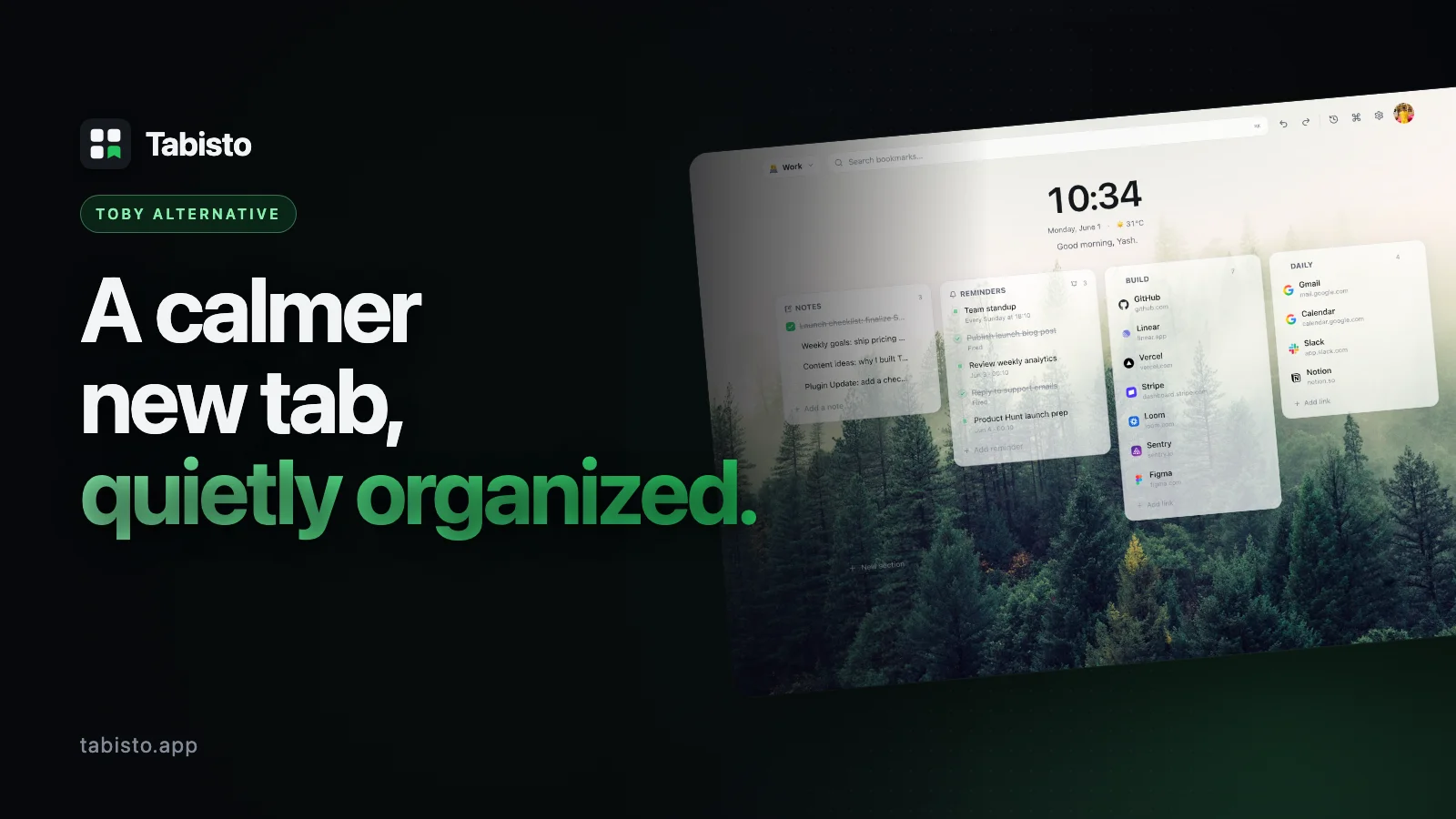
If you came here searching for a Toby alternative, you probably did not arrive happy. Most people who try to replace Toby liked it once. The drag-and-drop collections were genuinely good. The brand was familiar. The idea of clearing a messy tab bar by saving project groups made sense in a way few productivity tools do.
Then something shifted. Toby leaned hard into team and enterprise pricing. The free tier started feeling thinner. Sync now needs an account. Threads on r/productivity keep asking the same question: is Toby still worth it, and what should I use instead?
This page is for that search. It compares Tabisto, a Chrome new-tab extension at tabisto.app, against Toby on the things that actually matter when you open a fresh tab fifty times a day. No trash talk, no fake outrage. Just a clear answer to "toby vs tabisto" so you can decide in five minutes.
Tabisto vs Toby at a glance
| Feature | Toby | Tabisto |
|---|---|---|
| Replaces new tab page | No, opens a separate view | Yes, calm dashboard on every new tab |
| Tab collections / workspaces | Collections by project | Workspaces (Personal, Work, Research, custom) |
| One-click restore a tab group | Yes | Yes, called Saved Sessions |
| Visual bookmarks in sections | Limited | Yes, custom sections per workspace |
| Quick notes scratchpad | No | Yes, built in |
| Reminders with date and time | No | Yes, with quick chips (15min, 1hr, tonight, tomorrow) |
| Command palette (⌘K) search | No | Yes |
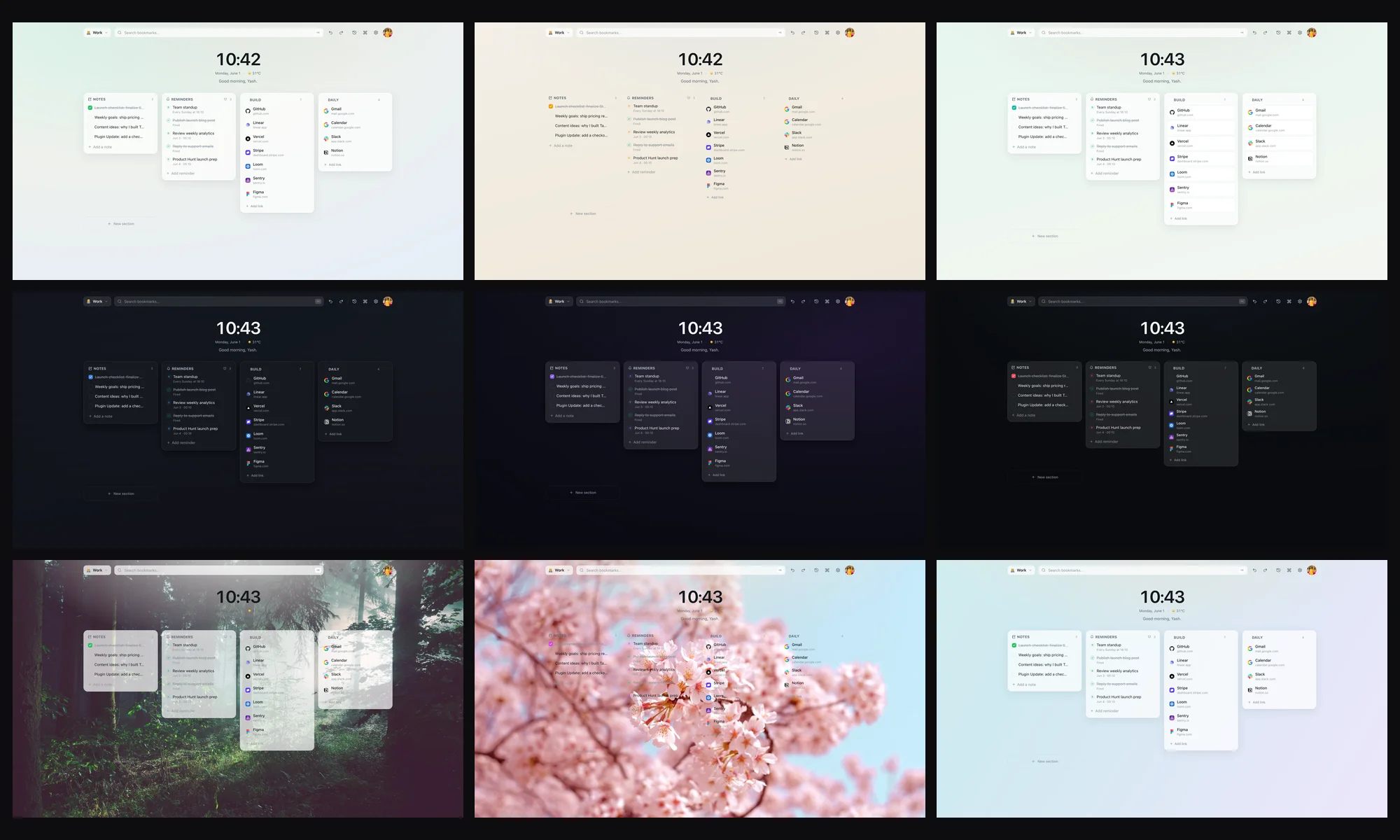
| Themes and wallpapers | Minimal | Beautiful themes, live tuning |
| Works offline | Partial | Yes, local-first via IndexedDB |
| Account required to start | Increasingly yes | No, sign in only if you want sync |
| Cloud sync on the free plan | Restricted | Free for any signed-in user |
| Free plan limits | Collection caps, feature gating | 2 workspaces, 25 bookmarks, 1 saved session, 3 reminders |
| Paid plan | Team and enterprise pricing | $3.99/mo or $35.88/yr, 7-day free trial |
That is the short answer. The rest of this page explains why each row matters if you are looking for the best Toby replacement on Chrome.
1. Tabisto is your new tab, not another tab
This is the biggest structural difference and the reason most Toby refugees stick with Tabisto after a week.
Toby is a tab management Chrome extension. You open Toby in its own tab when you want to look at your collections. Useful, but it adds a step. You still see the default new tab page every time you press ⌘T.
Tabisto replaces the new tab page itself. Every fresh tab is your dashboard. Bookmarks, workspaces, saved sessions, notes, reminders, command palette, all there with zero clicks. There is no "open Toby" friction, because there is no separate place to open.
If you found Toby's UI heavy or slow with many tabs open, this matters even more. Tabisto loads instantly and runs locally.
2. Workspaces are the honest version of Toby collections
Toby's core idea was collections by project. Tabisto calls these workspaces, and they go a layer deeper.
A Tabisto workspace is a full canvas. You can have Personal, Work, Research, Side Project, anything. Inside each workspace you build custom sections (Reading List, Daily Stack, Clients, Repos), and inside sections you drop visual bookmarks with real favicons pulled from your browser, not from a third-party favicon API that breaks half the time.
Switching workspaces is one click. The background, sections, bookmarks, notes, and reminders all swap. Your Work brain and your Personal brain stop bleeding into each other.
On the free plan you get 2 workspaces and 25 bookmarks, which is enough to test the model honestly. Pro removes the cap.
3. Saved Sessions is the one-click tab restore you actually wanted
This is the feature most "free toby alternative" searchers are really looking for.
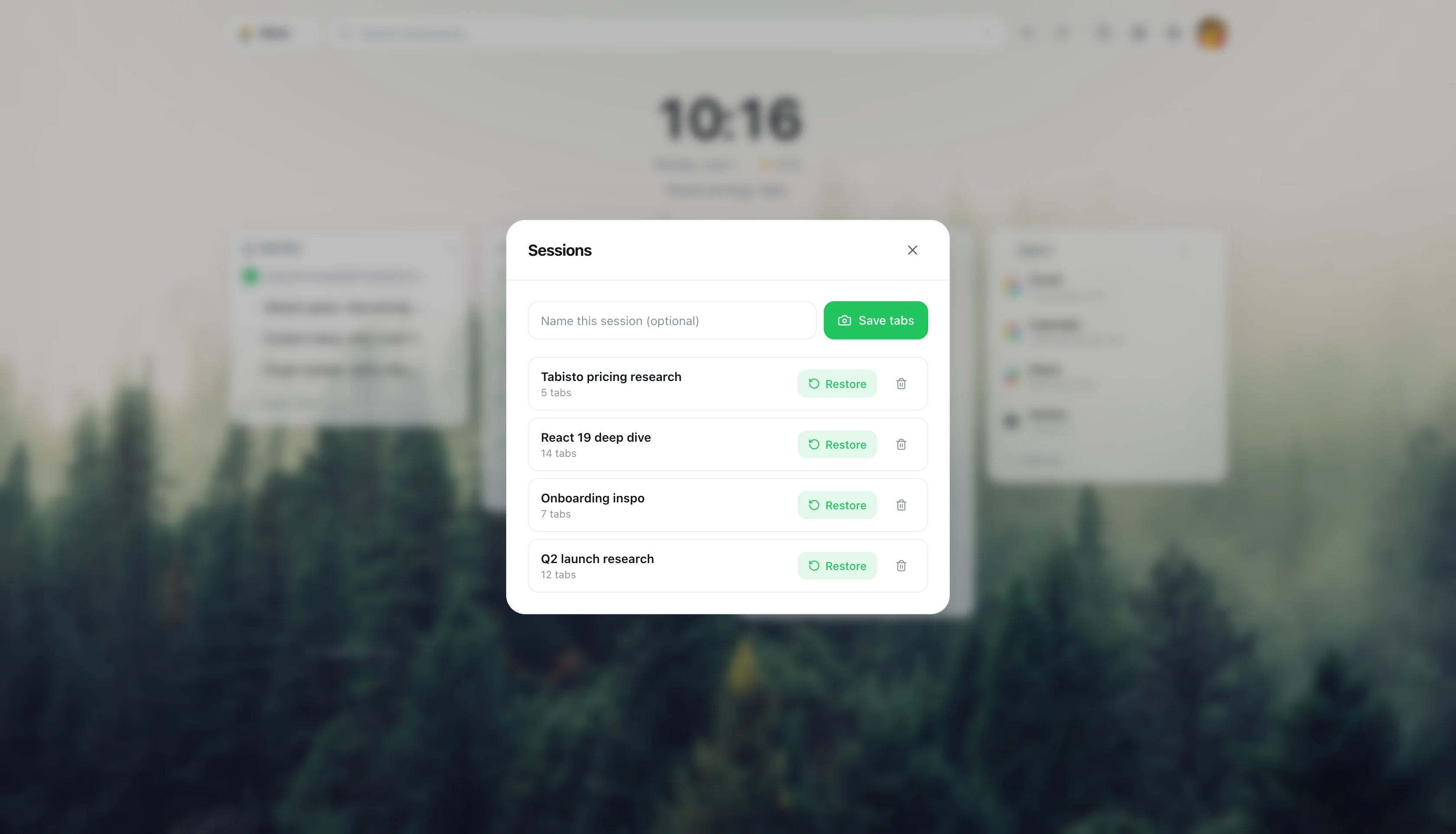
Open the eleven tabs you need for a client project. Save them as a session. Close them. Tomorrow morning, click once. They come back, in order, in a new window. That is the Toby promise, and Tabisto delivers it on the free plan with 1 saved session, or unlimited on Pro.
Sessions live next to your workspaces, so the flow is calm. Save a session for "Q3 planning research," close the noise, do something else, restore when you are ready. No collection-vs-session-vs-folder confusion.
4. Quick notes and reminders, things Toby never added
Toby is a pure tab tool. That is fine, but it means you still need a sticky-note app and a reminder app open alongside it.
Tabisto includes:
- A quick notes scratchpad on the dashboard. Type a thought, it stays. No file, no folder, no "where did I write that" moment.
- Reminders with full date and time, plus quick chips for 15 minutes, 1 hour, tonight, and tomorrow. They fire as real Chrome notifications, scheduled by the service worker even if the tab is closed.
The free plan gives 3 active reminders, which covers a normal workday. Pro removes that ceiling and adds daily and weekly recurrence.
If you have ever scribbled "call back Sarah at 4" on a Toby collection title because you had nowhere else to put it, you know why this matters.
5. The command palette is the keyboard shortcut Toby is missing
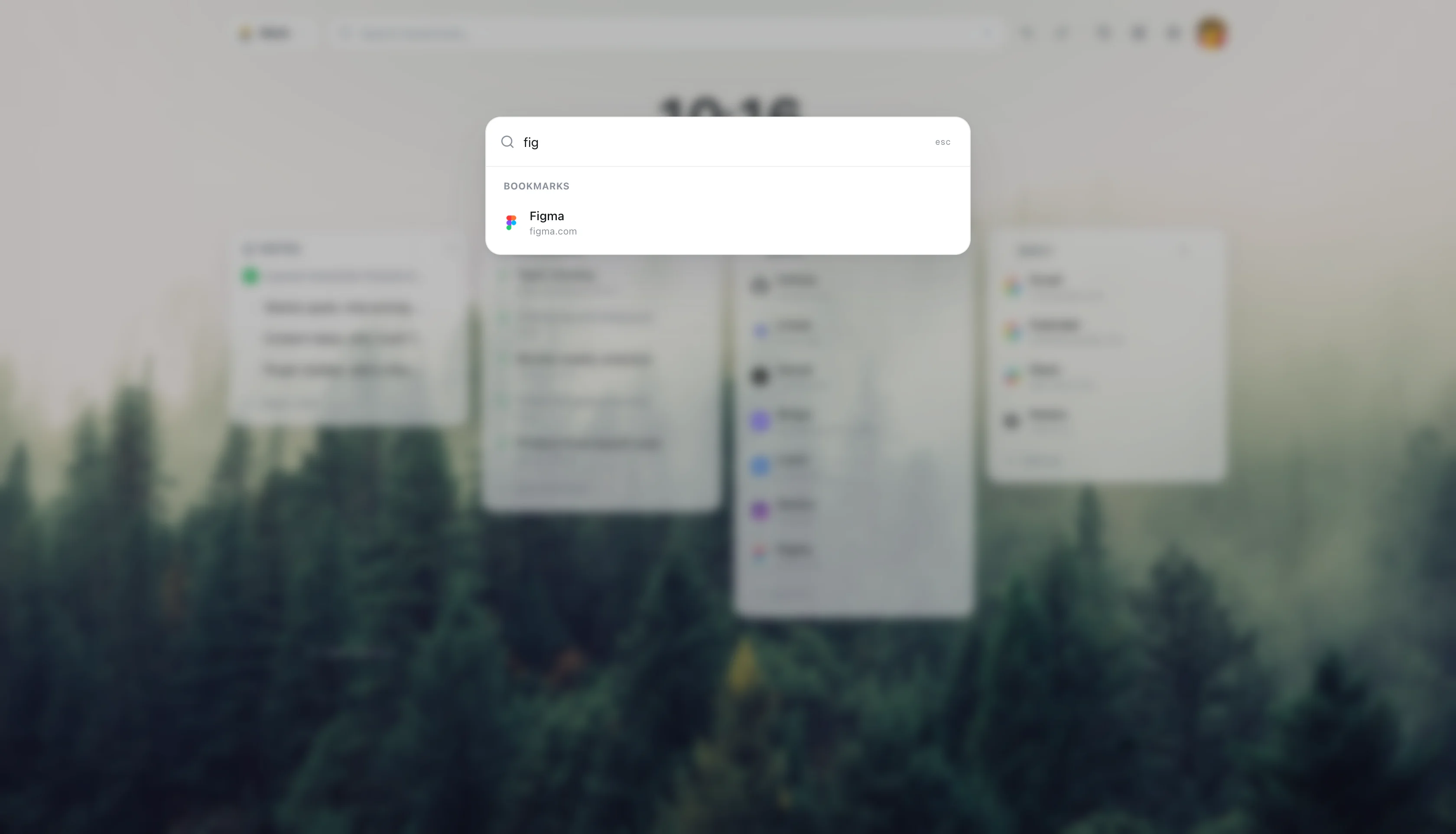
Press ⌘K. Type the first letters of any bookmark, workspace, session, or setting. Hit enter.
That is the entire interaction model for power users. No mouse, no scrolling through a sidebar of collections, no scanning for the right card. The command palette is the search bar for your own brain, and once you use it for a week the idea of clicking through a tab manager feels slow.
Toby has search inside collections. Tabisto has search across everything you own, plus actions.
6. Local-first, with optional sync that is actually free
Toby's sync requires an account, and the account is increasingly tied to paid tiers. That is a fair business choice, but it changes the deal for solo users who just want their stuff on two laptops.
Tabisto stores everything locally in IndexedDB. The extension works fully offline. If you sign in with Google, sync turns on for free, on every plan. Your workspaces, sessions, bookmarks, notes, and reminders ride along.
No account needed to start. No paywall on sync. The Pro plan is for users who want unlimited workspaces, bookmarks, sessions, reminders, and recurring schedules, not for users who want their data to follow them.
7. The pricing is built for one human
This is the part most "toby for chrome alternative" searches are really asking about.
Tabisto Pro is $3.99 per month or $35.88 per year, with a 7-day free trial. That is solo-user pricing. There is no per-seat math, no team admin console, no "contact sales." If you want unlimited everything, you pay less than a coffee per month.
The free plan is not a teaser. 2 workspaces, 25 bookmarks, 1 saved session, 3 reminders, full theming, full command palette, full notes, full offline, optional free sync. Plenty of people will never need to upgrade, and the app does not nag them.
If Toby's recent pricing pivot is what brought you here, this is the honest answer to "free toby alternative."
How to migrate from Toby to Tabisto
You do not need a fancy importer. The mental model maps cleanly, and the move takes about fifteen minutes if you have a normal-sized Toby setup.
Step 1. Install Tabisto from the Chrome Web Store. Extension ID is djaejekjeiaidoghnpndlfbnikpndngj if you want to verify the listing. Open a new tab. The dashboard loads.
Step 2. Open Toby one last time and look at your collections. Most people have three or four real ones and a pile of dead ones. This is a good moment to prune.
Step 3. Map collections to workspaces and sections. A top-level Toby collection like "Work" usually becomes a Tabisto workspace called Work. Sub-groupings inside that collection become sections (Clients, Tools, Reading). One-off project collections that are really "open these eleven tabs together" should become a saved session, not a workspace.
Step 4. Recreate the structure in Tabisto. Click new workspace, name it. Add sections. Drag tabs into sections as visual bookmarks, or use the save-tab command to capture the current tab in one keystroke.
Step 5. Capture project tab groups as sessions. Open the tabs you would normally restore from a Toby collection, then save them as a Tabisto session. Close them. That collection now lives as a one-click restore.
Step 6. Optional, sign in. If you want sync, sign in with Google. Sync is free. Everything pushes up and downloads on your other Chrome installs automatically.
Step 7. Uninstall Toby when you are ready. No rush. Run both for a week if you want to feel sure.
That is the whole migration. The hardest part is admitting how many of those old collections were never going to be opened again.
What Toby still does well
This page is honest, so here is the fair version.
Toby's drag-and-drop for organizing collections is well-designed and was ahead of its time. The brand is well-known, so teammates recognize it on a screen share. The basic save-tabs-as-a-group flow still works. If your only need is grouping tabs in a side panel and you already pay for the team plan, Toby is fine.
The reasons people search for a Toby alternative are real, but they are not "Toby was always bad." They are about a product that moved upmarket and left solo users feeling like an afterthought. Tabisto is built for that solo user, on every new tab, for $3.99 a month at the top end.
FAQ
Is Tabisto really free?
Yes. The free plan covers 2 workspaces, 25 visual bookmarks, 1 saved session, and 3 reminders, with full theming, the command palette, quick notes, offline use, and optional free sync. No credit card to start. Pro at $3.99 per month or $35.88 per year unlocks unlimited everything and recurring reminders, with a 7-day free trial.
Is Tabisto a direct Toby replacement?
It covers the same core jobs (organize project tabs, restore a saved group with one click) and adds the things Toby never shipped (a new-tab dashboard, quick notes, reminders, command palette). For solo users it is the closest one-to-one best Toby replacement on Chrome.
Does Tabisto work offline?
Yes. Tabisto is local-first. Your data lives in IndexedDB inside Chrome. The extension loads instantly and works fully offline. Sync is optional and only runs when you sign in.
Do I need an account?
No. You can install Tabisto and use the free plan without ever signing in. Sign in only if you want cloud sync across machines or to start the Pro trial.
How do I move Toby collections to Tabisto?
Map each real Toby collection to either a Tabisto workspace (if it is an ongoing area of work) or a saved session (if it is a fixed set of tabs you reopen together). Recreate the structure once, capture the tabs as bookmarks or a session, and uninstall Toby when you are confident. Full steps are in the migration section above.
Will Tabisto slow down Chrome the way some tab managers do?
No. The dashboard loads from local storage, favicons come from the browser instead of a third-party favicon service, and the service worker only wakes up to schedule reminders. Performance is one of the reasons people switching from heavier tab management Chrome extensions stick with it.
What happens to my data if I cancel Pro?
Nothing is deleted. Your workspaces, bookmarks, sessions, notes, and reminders stay on your device. If you go over the free limits, the overflow is locked, not erased. Upgrade again and everything unlocks instantly.
Is Tabisto safe to install?
Tabisto is published on the Chrome Web Store with a pinned extension ID of djaejekjeiaidoghnpndlfbnikpndngj. Permissions are scoped to what the features need: storage, tabs, favicons, context menus, identity for optional sign-in, alarms and notifications for reminders. Bookmarks access is optional and requested only at the moment you import.
What are the best Toby alternatives or tab managers like Toby?
It depends on whether you work solo or in a team. Among Toby alternatives and tab managers like Toby, Tabisto fits solo users who want workspaces and saved sessions on the new tab without team pricing. Team-focused tools stay closer to Toby's shared-collection model. Our best free bookmark manager for Chrome guide compares the options.