Speed Dial 2 alternative
Speed Dial 2 alternative: a calmer new tab for 2026
Workspaces, saved sessions, a command palette, and quiet themes. Free up to sensible limits. No promoted tiles.

By Yash Kapoor·
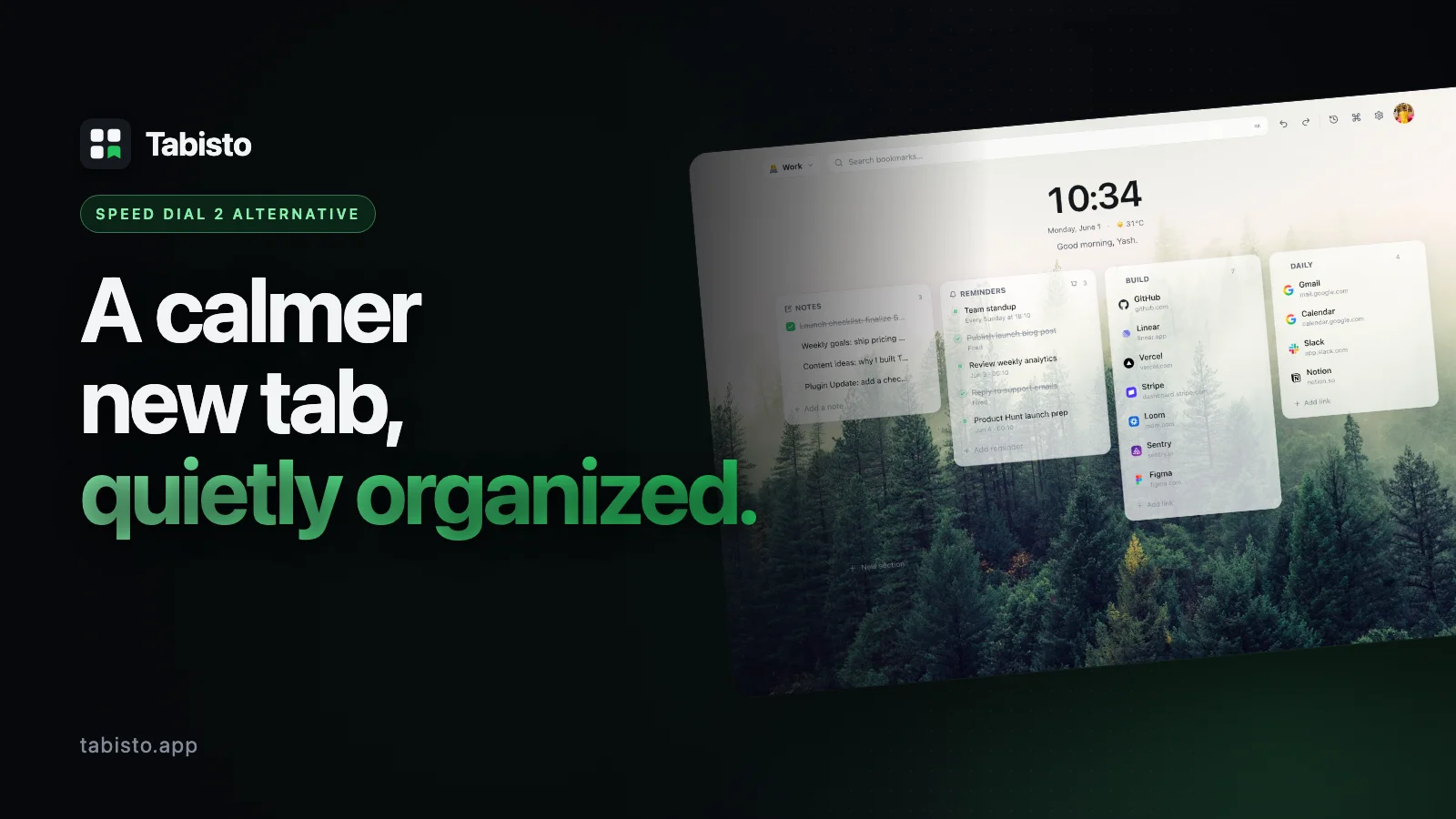
Speed Dial 2 has been around long enough that most Chrome users have either tried it or seen it on someone else's screen. The dial tile layout is familiar, the install base is huge, and for a long time it was the default answer to "how do I make my new tab page useful."
It is also showing its age. The free tier gates basics like groups, themes, and backup behind a Pro license. Recent reviews on the Chrome Web Store flag promoted tiles and a cluttered settings panel. Reddit threads in r/chrome_extensions repeat the same complaint: people want a quiet new tab that does more than hold favicons, without paying for the parts that used to be free. If you are weighing your options, our guide on how to change your new tab page in Chrome covers the switch step by step.
That gap is what Tabisto fills. This page lays out a direct Speed Dial 2 vs Tabisto comparison, the seven concrete reasons people switch, and a short migration path if you already have dials set up.
Speed Dial 2 vs Tabisto at a glance
| Capability | Speed Dial 2 | Tabisto |
|---|---|---|
| Visual bookmarks on new tab | Yes (dial tiles) | Yes (custom sections) |
| Workspaces (Personal, Work, Research) | No native support | Yes, included free |
| Saved sessions (restore tab groups) | No | Yes |
| Command palette (⌘K) | No | Yes |
| Quick notes scratchpad | No | Yes |
| Reminders with date and time | No | Yes |
| Themes on free tier | Limited / Pro | All themes free |
| Backup and sync on free tier | Pro feature | Free for any signed-in user |
| Ads or promoted tiles | Reported in some versions | Never |
| Works fully offline | Partial | Yes, local-first |
| Free tier limits | Feature-gated | 2 workspaces, 25 bookmarks, 1 session, 3 reminders |
| Pro price | Varies by region | $3.99/mo or $35.88/yr, 7-day trial |
The short version: Speed Dial 2 charges for organization. Tabisto gives you organization for free and charges only when you outgrow the free quotas.
1. Workspaces instead of one endless grid
Speed Dial 2 puts every bookmark on one page. You can make groups, but groups are a Pro feature, and even with Pro it is still one visual layer with toggles on top.
Tabisto starts with workspaces. You get Personal, Work, and Research out of the box, and you can rename, reorder, or add more. Each workspace has its own sections, its own bookmarks, its own saved sessions. Switching workspaces is one click or a ⌘K command. Your Work tools never sit next to your weekend reading.
This matters most for people who use the same browser profile across contexts. A new tab page with workspaces is the difference between hunting through 80 tiles and opening exactly the seven things you need for the next hour.
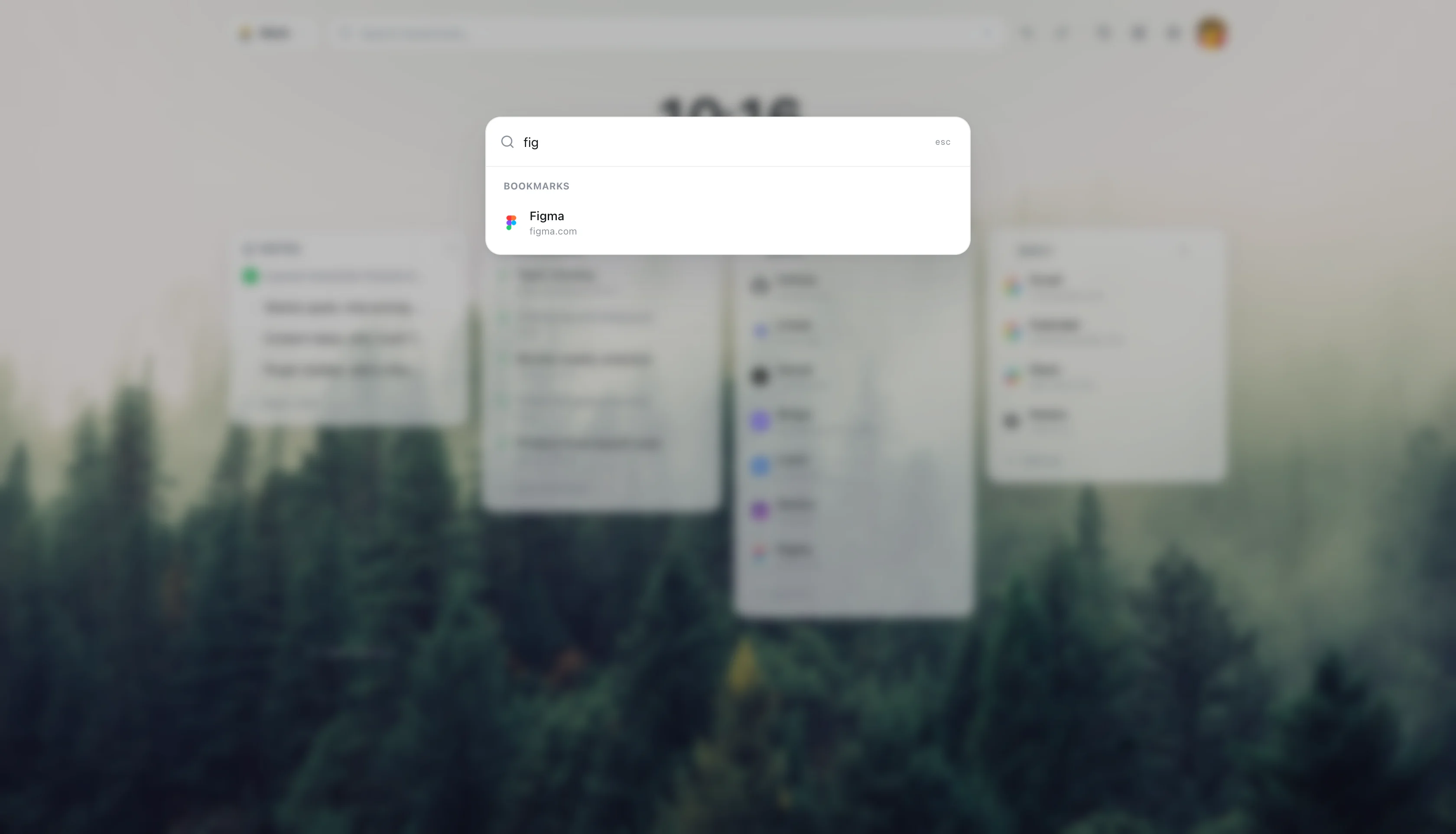
2. Saved sessions for real workflows
A bookmark is one URL. A session is a set of URLs you actually open together.
Tabisto sessions let you save a group of tabs under one name. "Monday standup" might be Linear, Notion, Slack, and your team calendar. One click opens all four in fresh tabs. Close them when you are done. Next Monday, one click again.
Speed Dial 2 has no equivalent. You either pin tabs, which clutters the strip across every window, or you bookmark a folder and right-click "open all," which is two extra steps and gives you no way to manage the set over time.
For anyone who does repeatable work, sessions are the feature that changes how the browser feels.
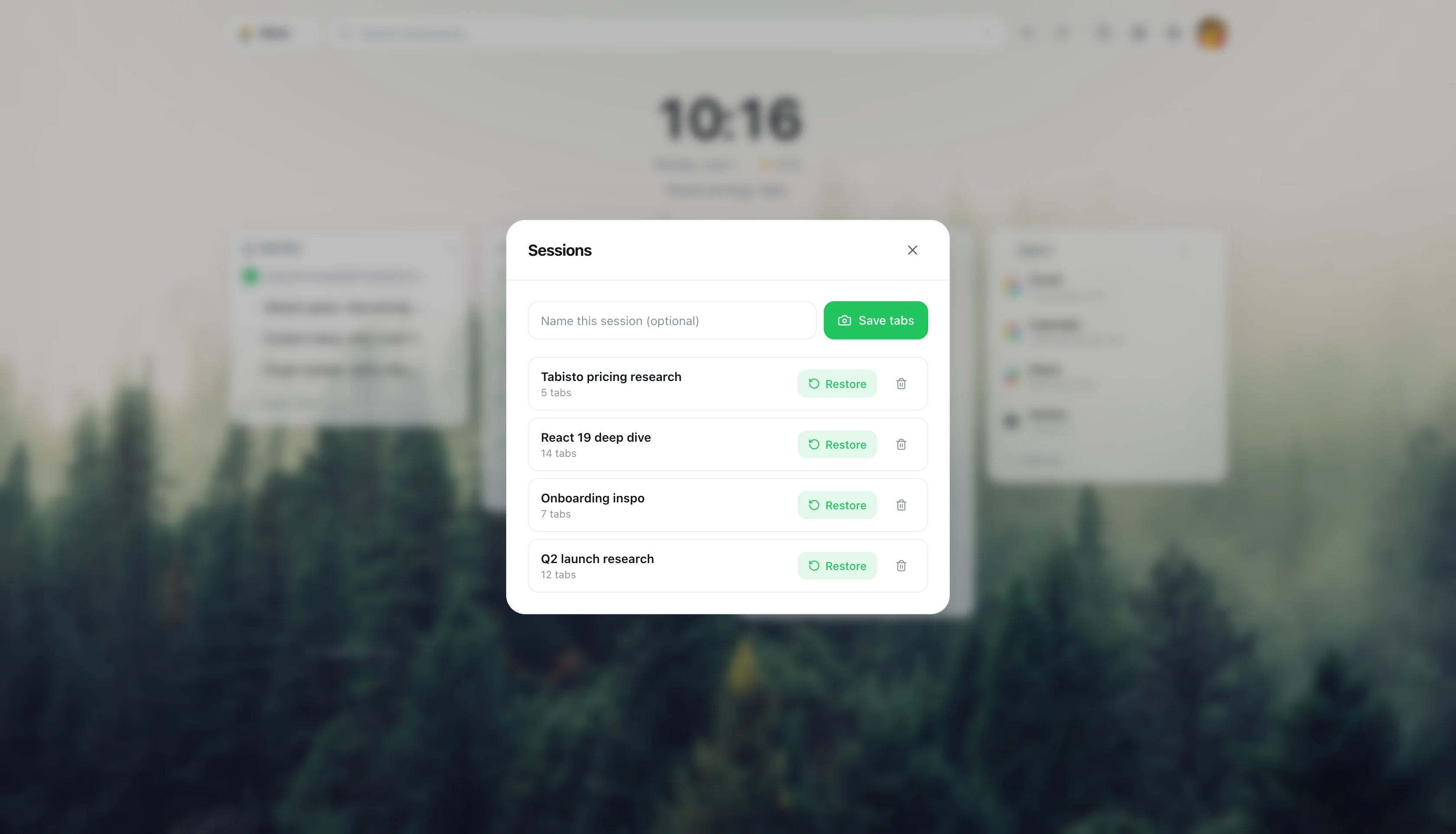
3. Command palette search
Press ⌘K (or Ctrl+K). Type three letters. Open anything.
The Tabisto command palette searches bookmarks, sessions, workspaces, and settings in one box. It is the same pattern Linear, Raycast, and VS Code use, because once you have it you stop clicking through menus. You also stop needing perfect bookmark hierarchies, because search is faster than hierarchy.
Speed Dial 2 has a basic search across dial titles. It does not search sessions (because there are none), does not switch workspaces (because there are none), and does not jump to settings panels. The gap is wider than it looks until you have used both for a week.
4. A free tier that includes the important parts
Speed Dial 2's Pro upsell covers things most users consider basic: groups, themes, backup, and sync. The free tier works, but it pushes upgrade prompts at the moments you most want to organize.
Tabisto's free tier includes every feature. Workspaces, sessions, notes, reminders, themes, command palette, and cloud sync all work without paying. The free plan caps quantity, not capability:
- 2 workspaces
- 25 visual bookmarks
- 1 saved session
- 3 reminders
If you stay under those numbers, you never see a paywall. If you go over, Pro is $3.99 a month or $35.88 a year with a 7-day trial. Unlimited workspaces, bookmarks, sessions, and reminders. That is the entire pricing page.
The honest comparison: Speed Dial 2 charges for the shape of your new tab. Tabisto charges only when you want more of it.
5. No ads, no promoted tiles, no tracking pixels
Several Chrome Web Store reviews of Speed Dial 2 mention promoted dial tiles appearing in the free version. Whether that is the current build or a past one depends on when you installed it, but the pattern shows up enough that it belongs in any honest comparison.
Tabisto does not show ads. There are no promoted tiles, no sponsored sections, no third-party analytics on the new tab, and no favicon fetches to external services (favicons come from the browser's own cache). Local-first means your data sits in IndexedDB on your machine. If you sign in for sync, it goes to a Supabase row you own and nothing else.
For a page you open dozens of times a day, the absence of ads is not a small thing.
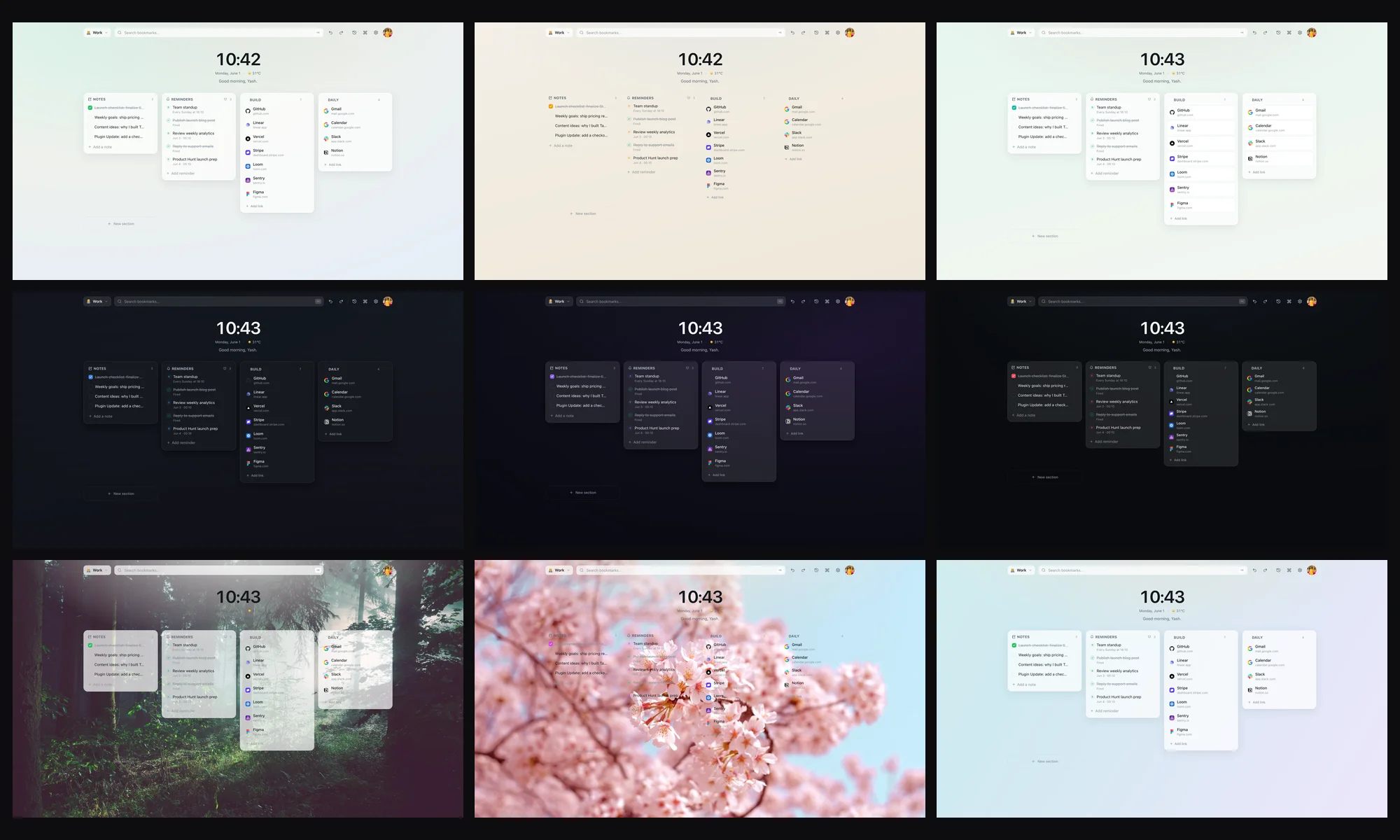
6. Themes that actually look calm
Speed Dial 2's visual style is built around the dial metaphor: rounded tiles, drop shadows, contrast-heavy backgrounds. It works, but it is loud, and the free themes are limited.
Tabisto ships with calm themes by default. Soft backgrounds, readable type, subtle blur on cards, and a density slider that scales the whole dashboard if you want more or less air. All themes are free. Accent color is a single picker. Wallpapers are optional.
If your goal is a new tab page that does not shout at you every time you open it, this is the difference between the two products in one screen.
7. Reminders and notes live where you open tabs
This is the part Speed Dial 2 does not try to do.
Tabisto includes a quick notes scratchpad on the dashboard. Anything you type stays there. It survives restarts. It syncs if you sign in. No second app, no Notion tab, no sticky note widget.
Reminders work the same way. Pick a date and time, or use a quick chip (15 minutes, 1 hour, tonight, tomorrow). The service worker fires a Chrome notification when the time arrives. Free covers three active reminders, Pro removes the cap.
For people who already use the new tab as a daily landing pad, having a note and a reminder one keystroke away replaces two or three other tools.
How to migrate from Speed Dial 2
The export and import path takes about five minutes.
- Export your Speed Dial 2 dials. Open Speed Dial 2 settings, find the Backup or Export panel, and save the file. If your version paywalls this, use Chrome's bookmark manager instead: drag your dials into a folder, then right-click and export as HTML.
- Install Tabisto. Add Tabisto from the Chrome Web Store. The extension ID is
djaejekjeiaidoghnpndlfbnikpndngjif you want to verify the listing. - Import into Tabisto. Open Settings, choose Import Bookmarks, and pick your HTML file. Tabisto turns each Speed Dial 2 group into a section inside your Personal workspace.
- Sort into workspaces. Drag work-related sections into a Work workspace. Research links go to Research. This is the step that pays off later.
- Build your first session. Open the four or five tabs you use for one recurring task, then Save Session from the command palette. Name it. Done.
- Remove Speed Dial 2. Once you have confirmed your data is in Tabisto, uninstall the old extension so only one new tab handler is active.
If you hit any step, the import keeps your original file untouched. You can roll back at any point.
Who should stay on Speed Dial 2
To be fair: Speed Dial 2 still wins on a few axes.
- You only need a static grid of favicons and nothing else.
- You already paid for Pro and use the existing setup daily.
- You prefer the round dial visual to a sectioned dashboard.
- You do not want any features beyond bookmarks on the new tab.
If that list describes you, the switch is not urgent. Tabisto is built for the people who want the new tab to do more, not for people who want it to do less.
FAQ
Is Tabisto a free alternative to Speed Dial 2?
Yes. Tabisto's free tier covers 2 workspaces, 25 visual bookmarks, 1 saved session, and 3 reminders, with every feature unlocked. Speed Dial 2 free is limited by feature; Tabisto free is limited by quantity. For most casual users, the free plan is enough.
What is the best new tab Chrome extension in 2026?
It depends on what you want the new tab to do. If you want a simple grid of favicons, Speed Dial 2, Toby, and Start.me all work. If you want a calm dashboard with workspaces, saved sessions, notes, reminders, and a command palette, Tabisto is built for that case. The honest answer is that "best" only makes sense once you know how much you want the new tab to handle.
Does Tabisto show ads or promoted tiles?
No. There are no ads, no promoted tiles, no sponsored sections, and no third-party tracking on the new tab. Favicons come from Chrome's own cache, not from an external favicon service.
Can I import my Speed Dial 2 dials into Tabisto?
Yes. Export your dials from Speed Dial 2 (or from Chrome's bookmark manager as an HTML file), then use Tabisto's Import Bookmarks setting. Each group becomes a section inside your Personal workspace, ready to drag into other workspaces.
Does Tabisto work offline?
Yes. Tabisto is local-first. All your data lives in IndexedDB inside Chrome. The new tab loads instantly with no network call. If you sign in, sync runs in the background; if you do not, nothing leaves your machine.
What does Tabisto Pro cost?
$3.99 a month or $35.88 a year, with a 7-day free trial. Pro removes every quota: unlimited workspaces, unlimited bookmarks, unlimited sessions, and unlimited reminders. There is no separate "themes" tier or "backup" tier. One price, one upgrade.
How is Tabisto different from Toby or Start.me?
Toby is closer to a tab manager with a sidebar. Start.me is closer to a customizable portal page. Tabisto sits between them: a new tab dashboard with workspaces and sessions, but built around speed and a command palette rather than drag-heavy organization. If you want the new tab page itself to be the workspace, Tabisto fits better.
Will my data sync across computers?
Yes, if you sign in. Sync is free for any signed-in user, not a Pro feature. Your workspaces, bookmarks, sessions, notes, reminders, and settings stay consistent across every Chrome profile where you sign in to Tabisto. Without signing in, everything stays local to that machine.
Are there other Speed Dial 2 alternatives worth trying?
Yes. Among Speed Dial 2 alternatives and other speed dial extensions, the right pick depends on your job. Tabisto suits people who want a calm new tab with organized bookmarks, workspaces, and sessions. Others lean into pure dial grids or heavy widgets. Our best free bookmark manager for Chrome guide compares the main options.