Infinity New Tab alternative
Infinity New Tab alternative: a quieter, cleaner dashboard
Faster first paint. Local favicons. Workspaces, sessions, and a command palette in place of widget overload.

By Yash Kapoor·
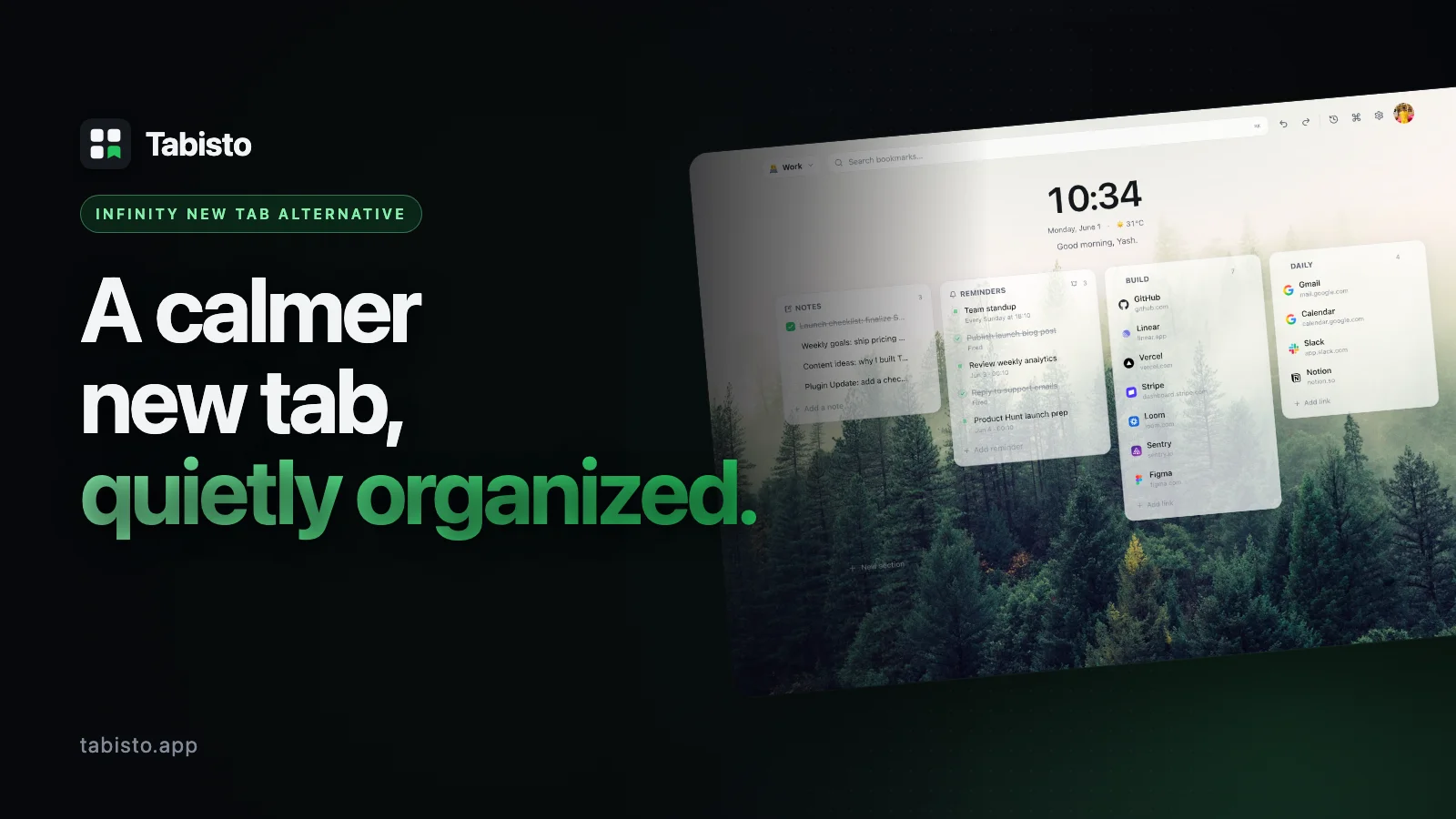
If you have used Infinity New Tab for a while, you already know the appeal. A visual bookmark grid, a built-in weather widget, a clock, a notepad, all sitting on a wallpaper that makes Chrome feel less sterile. For a lot of people that was enough to switch away from the default new tab.
It is also why people start looking for an Infinity New Tab alternative. The widget shelf gets crowded. The page takes a second longer than you expect. Favicons load from a third-party service that occasionally returns broken images. Sync works most of the time. The free tier nudges you toward upgrades you did not plan for.
Tabisto is built for the people who liked the idea of Infinity but want the page to feel quieter, load instantly, and stay out of the way. This guide walks through where the two extensions differ, why switchers tend to stick with Tabisto, and how to migrate without losing your bookmarks.
Tabisto vs Infinity New Tab at a glance
| Feature | Infinity New Tab | Tabisto |
|---|---|---|
| Visual bookmarks | Yes, fixed grid | Yes, custom sections per workspace |
| Workspaces (Personal, Work, Research) | No native concept | Yes, unlimited on Pro |
| Saved tab sessions (restore a group in one click) | No | Yes |
| Command palette (⌘K) | No | Yes |
| Quick notes scratchpad | Yes, widget | Yes, inline |
| Reminders with date and time | Limited (todo widget) | Yes, with quick-time chips |
| Favicon loading | Third-party service | Native Chrome favicons |
| Offline support | Partial | Full, local-first IndexedDB |
| Ads in free tier | Reported in reviews | None |
| Sync | Account required, mixed reports | Optional Supabase sync, free for signed-in users |
| Free tier limits | Widget and bookmark caps | 2 workspaces, 25 bookmarks, 1 session, 3 reminders |
| Pro pricing | Subscription, varies | $3.99/mo or $35.88/yr, 7-day trial |
Why people switch from Infinity New Tab to Tabisto
1. The page loads instantly, every time
Infinity opens with a render pass for the wallpaper, then the widget shelf, then the bookmark grid, then a network call for each favicon through a third-party service. On a fresh Chrome profile it feels fine. After a month of bookmarks and a few widgets, the first paint slows down noticeably and the favicons flicker in.
Tabisto reads everything from IndexedDB on your machine. Bookmarks, sections, workspaces, notes, reminders, theme settings, all local. Favicons come straight from Chrome's own favicon API, so they appear with the rest of the page instead of streaming in over the network. Open a new tab, the dashboard is already there.
2. Workspaces instead of one giant grid
Infinity gives you a single canvas. You can group icons visually, but there is no real separation between your work links and your weekend reading list. Power users end up creating multiple Chrome profiles to fake it.
Tabisto has workspaces as a first-class concept. Personal, Work, Research, Side project, anything you want. Each workspace has its own sections and bookmarks, and switching between them is one click or a keyboard shortcut. Your client links do not have to share a screen with your fantasy league.
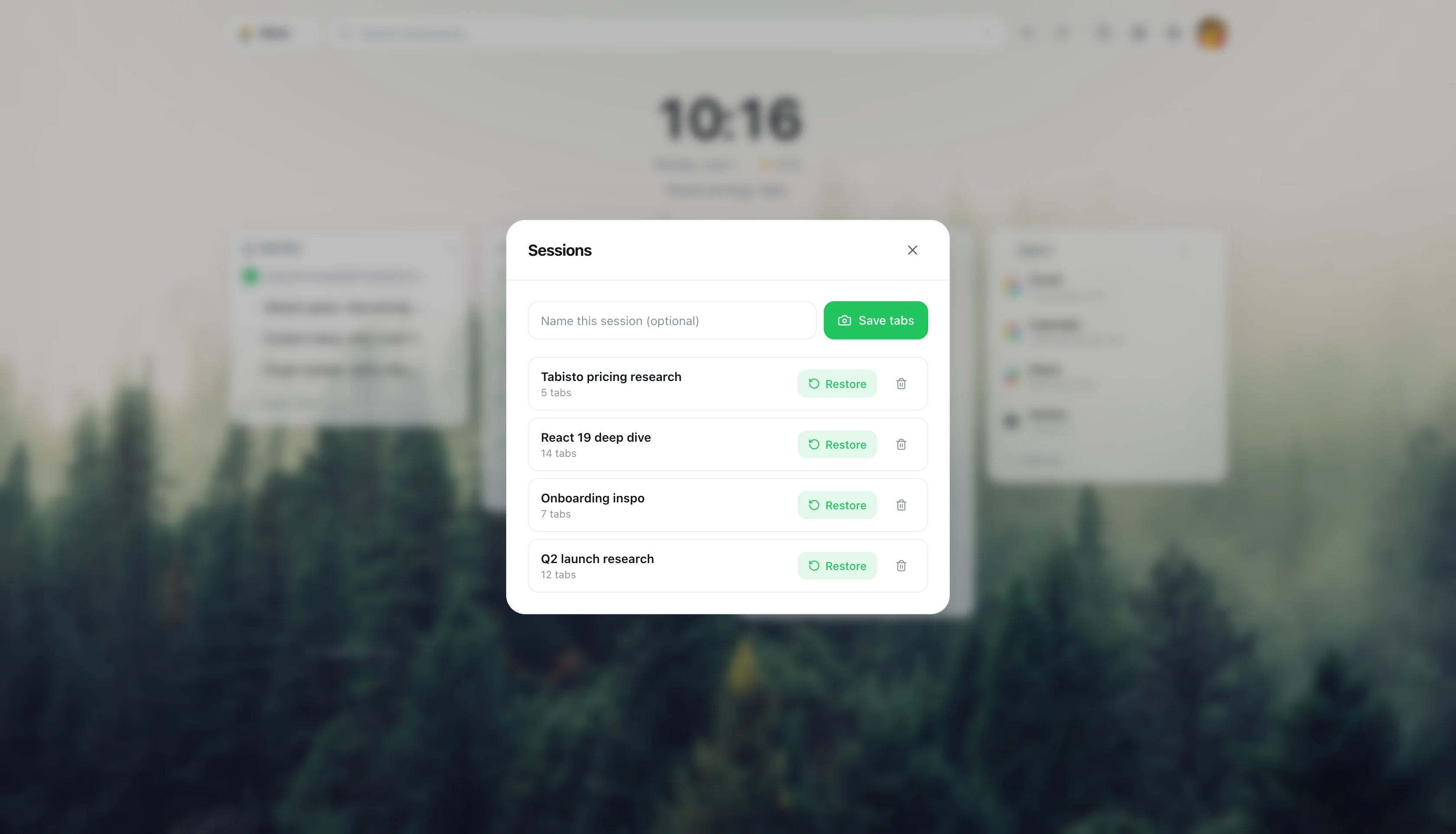
3. Saved sessions actually save your tabs
This is the feature most Infinity users do not realize they were missing. You finish a research session with eleven tabs open about Postgres replication. You close them. Next week you want them back.
Tabisto's saved sessions capture a group of open tabs with a name. One click restores all of them in a new window, the same approach we cover in save and restore tab sessions in Chrome. It is the gap between "I will keep these tabs open forever" and "I lost the thread." Infinity has no equivalent. Its todo widget is not a substitute.
4. A command palette, because you already use one everywhere else
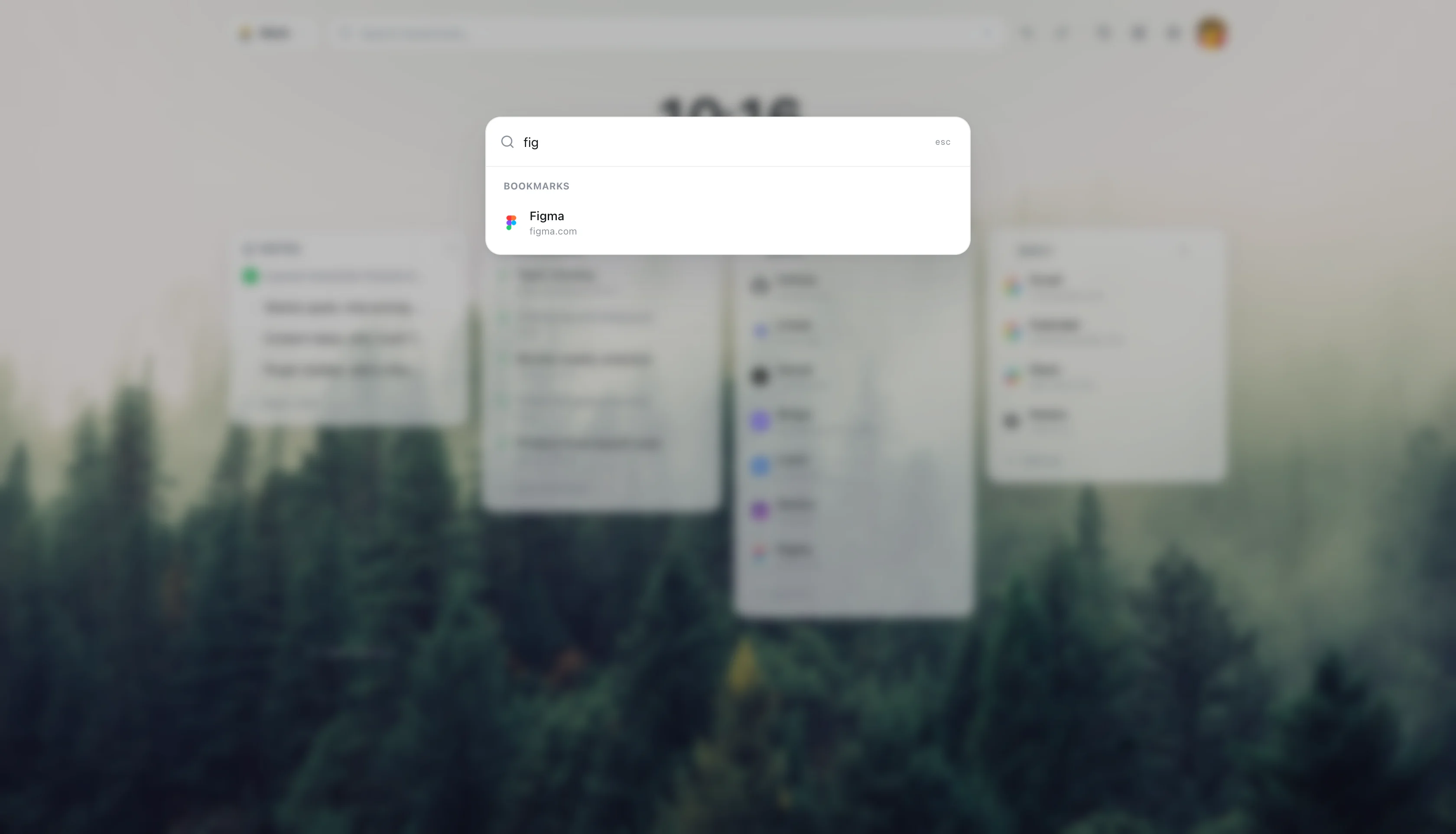
If you live in Linear, Raycast, VS Code, Figma, or Notion, you already think in ⌘K. Type what you want, hit enter, move on. Infinity gives you a search bar that searches the web. Tabisto's ⌘K palette searches your bookmarks, jumps to a workspace, opens a saved session, creates a reminder, toggles a theme, or runs a web search if nothing matches.
Once you have a palette on your new tab page, going back to clicking through grids feels slow.
5. Reminders that show up on time
Infinity's todo widget is a list. It does not notify you. If you want a reminder at 3pm on Thursday, you use a separate app.
Tabisto reminders take a date and time, or a quick-time chip like "in 2 hours" or "tomorrow morning," and fire a Chrome notification when they are due. Free covers 3 active reminders. Pro is unlimited and adds daily and weekly recurrence. It is not trying to replace your full task manager. It handles the "ping me later about this link" case that nothing else does well.
6. A calm visual design, not a widget shelf
Infinity leans into customization. Weather, clock, news, quick links, search engines, todo, notes, all available, all on by default for new users. Some people love it. Others install it, spend twenty minutes turning widgets off, and still find the page busy.
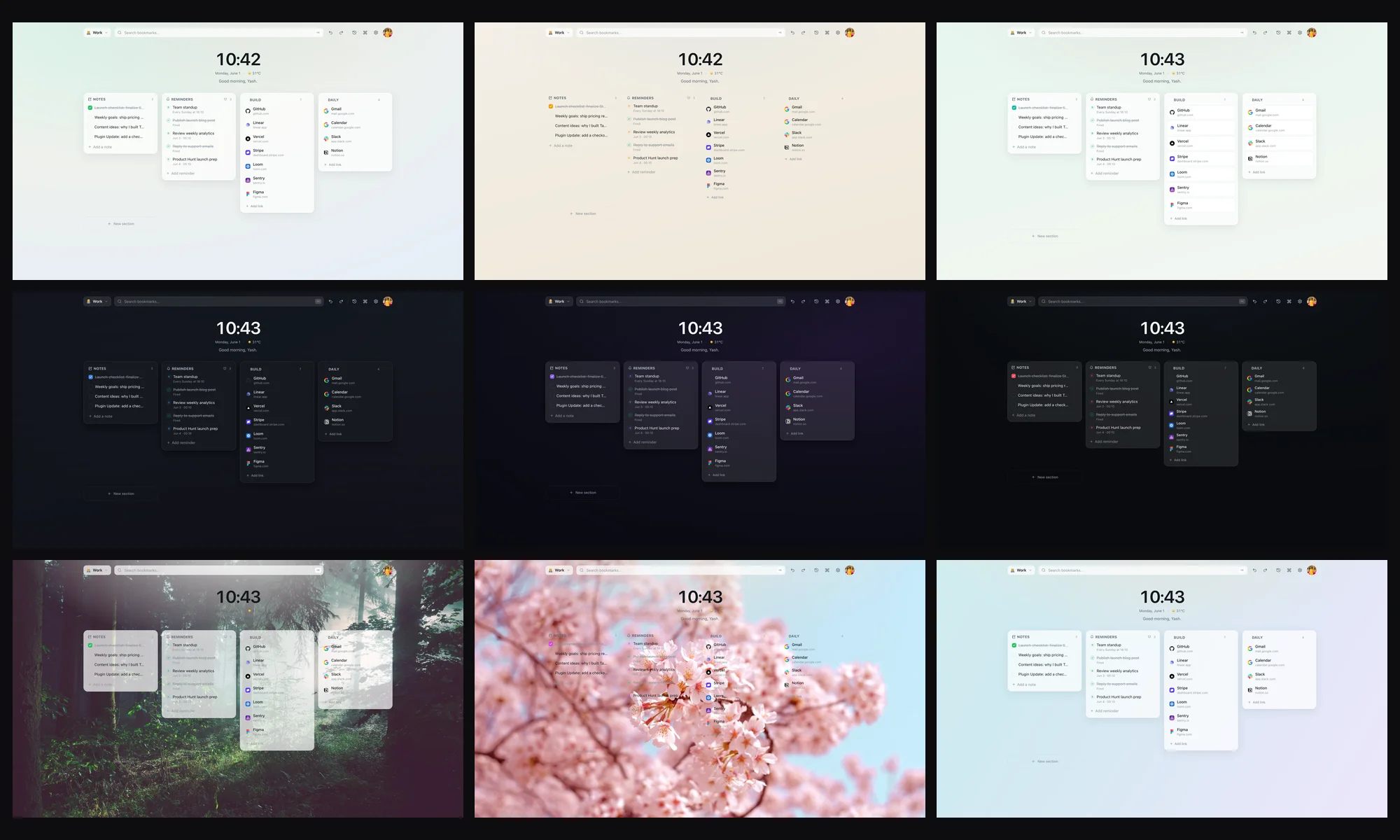
Tabisto starts quiet. A clean background, your bookmarks in sections, optional weather and clock, and that is the page. Themes adjust the wallpaper, accent color, blur, and density without piling on more chrome. The setting that matters most is the one you do not have to touch.
7. No ads in the free tier, no account required
Tabisto's free tier does not show ads, does not require a signup, and does not gate basic features behind a login wall. You install it, you get a working dashboard. Sign in with Google only if you want sync across machines, and even sync is free for any signed-in user.
The Pro tier exists for people who hit the limits: 2 workspaces, 25 bookmarks, 1 saved session, 3 reminders. If those numbers fit your life, Free is the product. Pro is $3.99 a month or $35.88 a year with a 7-day trial, and it unlocks unlimited everything plus recurring reminders.
Where Infinity New Tab still wins
It is worth being honest. Infinity has been around longer and ships features Tabisto does not currently match.
The widget library is broader. If you want a stock ticker, a calendar feed, an RSS reader, and a Pomodoro timer all on your new tab, Infinity has plug-ins for that and Tabisto does not. The weather widget in Infinity supports more locations and a more detailed forecast view. The wallpaper gallery is larger out of the box.
If your priority is "as many configurable widgets as possible in one place," Infinity is the better fit. If your priority is "a fast, quiet dashboard that helps me get to the thing I am looking for," keep reading.
How to migrate from Infinity New Tab to Tabisto
Most of the work is exporting your bookmarks out of Infinity and importing them into Tabisto. Plan on ten minutes.
Step 1. In Infinity, open the settings panel and find the export option. It writes a JSON or HTML file of your bookmarks and groups. Save it somewhere you can find it.
Step 2. Install Tabisto from the Chrome Web Store. The extension ID is djaejekjeiaidoghnpndlfbnikpndngj if you want to verify it. Open a new tab to confirm the dashboard loads.
Step 3. In Tabisto, open the command palette with ⌘K and search for "Import bookmarks." Tabisto reads from your Chrome bookmarks bar and folders directly, so if you import your Infinity backup into Chrome's bookmark manager first, the same folders appear in Tabisto as sections.
Step 4. Rename the auto-imported sections to match the workspaces you want. Drag bookmarks between sections. Create a second workspace for work, a third for research, however your day actually splits.
Step 5. Optional. Sign in with Google to enable Supabase sync, so the same dashboard appears on your laptop and your desktop. This is free.
Step 6. Uninstall Infinity. Right click its icon, remove from Chrome. Tabisto takes over the new tab page automatically.
If you get stuck on the import step, the Chrome bookmarks API is the bridge. Get your links into Chrome's native bookmark manager first, then Tabisto picks them up.
Free Infinity New Tab alternative, without the asterisks
The phrase "free Infinity New Tab alternative" comes up a lot, and it usually means one of two things. Either you want a version of Infinity without ads in the free tier, or you want a free new tab that does not push you to a paid account for sync.
Tabisto handles both. The free tier shows no ads. Sync is free for any signed-in user, not gated to Pro. The only things behind Pro are the higher limits and recurring reminders. Everything else, including the command palette, workspaces, sessions, themes, and reminders up to the free cap, is free with no account.
Infinity New Tab Pro alternative for people who actually paid
If you upgraded to Infinity Pro and felt the upgrade did not change much about how the page works, Tabisto Pro is structured differently. The Pro features are the ones you run into when your life grows past the free caps. More workspaces because you took on a new client. More than 25 bookmarks because you actually use the dashboard. More than one saved session because you research more than one thing at a time. Recurring reminders because "every Monday at 9am" is a real pattern.
The price is $3.99 a month or $35.88 a year. The 7-day trial does not require a card cancel-by date trick. If you stop paying, your data stays, the limits just re-engage and the overflow becomes read-only until you upgrade again or trim it down.
Is Tabisto the best new tab Chrome extension?
"Best new tab Chrome extension" depends on what you want the page to be. If you want a launcher that disappears the moment you have what you came for, Tabisto is built for that. If you want a dashboard that doubles as a homepage with weather, news feeds, and widgets you check every morning, you might be happier with Infinity or one of its cousins.
What Tabisto is opinionated about: visual bookmarks in custom sections, workspaces for context, sessions for tab groups you want back later, a command palette for everything else, and a page that loads in under a second on a cold start. That is the shape of the product.
FAQ
Is Tabisto really free?
Yes. The free tier covers 2 workspaces, 25 bookmarks, 1 saved session, and 3 reminders, with no ads and no signup required. Sync is also free for signed-in users. Pro unlocks unlimited limits and recurring reminders.
Will I lose my Infinity New Tab bookmarks if I switch?
No. Export your bookmarks from Infinity, import them into Chrome's bookmark manager, and Tabisto reads them directly. Your links are preserved.
Does Tabisto work offline?
Yes. Everything is stored locally in IndexedDB, so the dashboard loads without a network connection. Sync is optional and runs in the background when you are online.
Does Tabisto have a weather widget like Infinity?
Yes, a calm weather widget powered by wttr.in, with an optional clock. Both are off by default to keep the page quiet. Infinity's weather widget supports more detailed views if that matters to you.
How does Tabisto compare to Infinity New Tab for privacy?
Tabisto is local-first. Bookmarks, notes, and sessions live in IndexedDB on your machine. Favicons come from Chrome's built-in favicon API rather than a third-party service, so there is no external lookup per bookmark. Sync uses Supabase with row-level security and is opt-in.
What is the Tabisto Chrome Web Store ID?
The extension ID is djaejekjeiaidoghnpndlfbnikpndngj. You can verify it in the Chrome Web Store listing before installing.
Can I use Tabisto and Infinity New Tab side by side?
Chrome only lets one extension override the new tab page at a time. You can install both, but only the most recently enabled one will show on new tabs. Most people pick one.
What happens to my data if I cancel Tabisto Pro?
Your data stays. Workspaces, bookmarks, sessions, and reminders above the free limits become read-only until you trim them or re-upgrade. Nothing is deleted.
Are there other Infinity New Tab alternatives?
Yes. Among Infinity New Tab alternatives, the choice comes down to how much you want on the page. Tabisto is the calmer, faster option with bookmarks, workspaces, and sessions instead of widget overload. Other dashboards pack in more at the cost of speed. Our best Chrome new tab extensions guide lines them up.