Momentum alternative
Momentum alternative: a productive new tab without the paywall
Bookmarks, workspaces, saved sessions, reminders, notes. Free up to sensible limits. No login wall on the basics.

By Yash Kapoor·
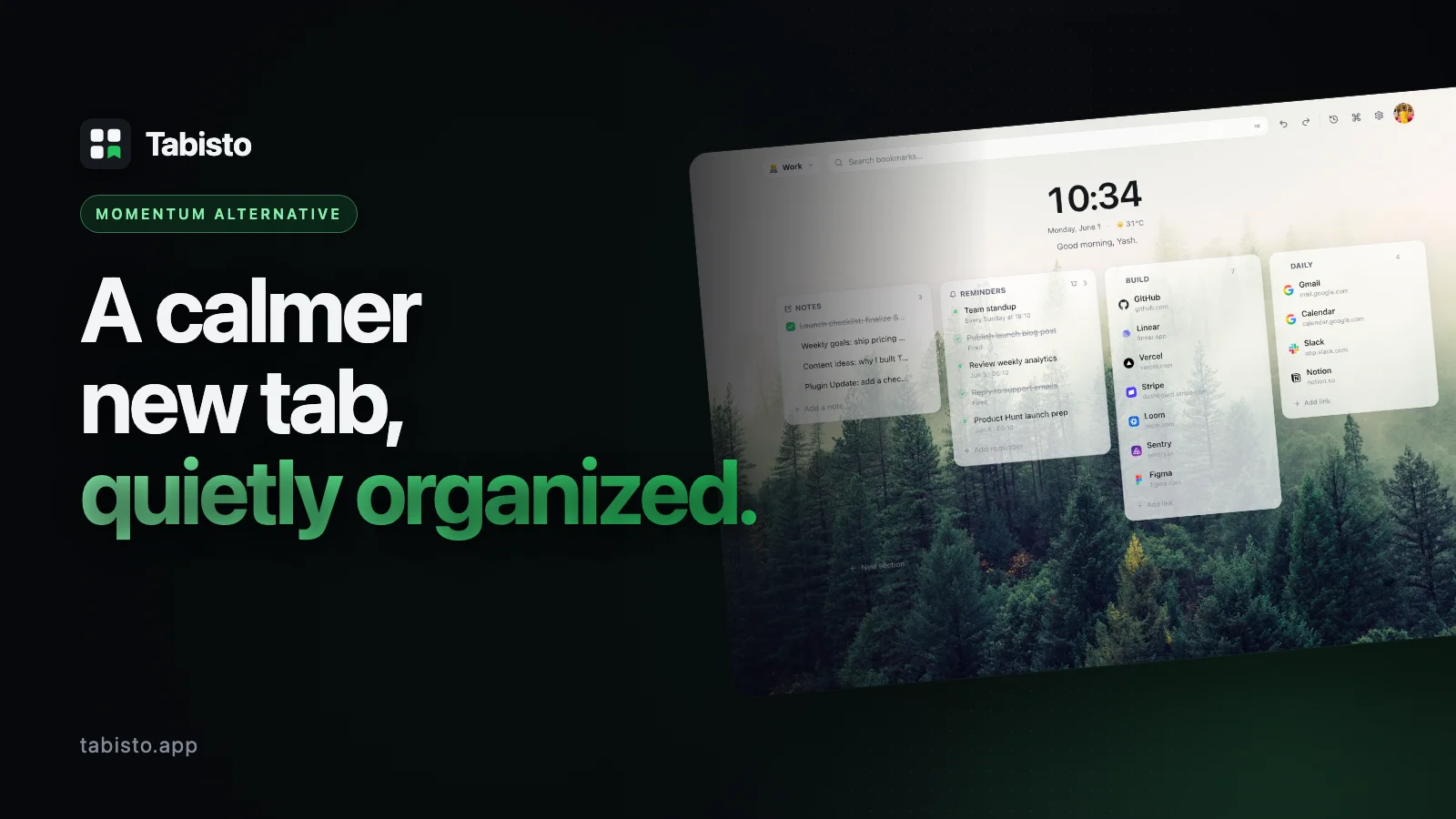
Momentum has earned its place. The daily photo, the quote, the single focus task. Millions of people open a new tab and feel a small breath of calm before the workday swallows them. That is real value, and this page is not here to argue otherwise.
The problem most switchers describe is different. They want the calm visual layer, but they also want their bookmarks somewhere sensible, their tab groups saved for Monday, and a quick way to jump anywhere with the keyboard. Momentum was built around mindfulness, not organization. Most of the features people actually reach for sit behind Momentum Plus, and the free tier feels intentionally thin.
Tabisto is the alternative built for that exact gap. It is a Chrome new tab extension that replaces the blank page with a quiet dashboard of visual bookmarks, workspaces, saved sessions, notes, and reminders. It runs locally, loads instantly, and costs nothing to use seriously. This page covers what is different, what is honestly similar, and how to migrate in about two minutes.
Tabisto vs Momentum at a glance
| Feature | Momentum (Free / Plus) | Tabisto (Free / Pro) |
|---|---|---|
| Price | Free, Plus around $3.33/mo billed yearly | Free, Pro $3.99/mo or $35.88/yr with 7-day trial |
| Visual bookmarks in custom sections | Links bar gated behind Plus | Yes, free up to 25 bookmarks |
| Workspaces (Personal, Work, Research) | Not available | Yes, 2 free, unlimited on Pro |
| Saved tab sessions, one-click restore | Not available | Yes, 1 free, unlimited on Pro |
| Command palette with Cmd+K search | Not available | Yes, free |
| Reminders with quick chips and date/time | Todo list gated behind Plus | Yes, 3 free, unlimited on Pro |
| Quick notes scratchpad | Notes gated behind Plus | Yes, free |
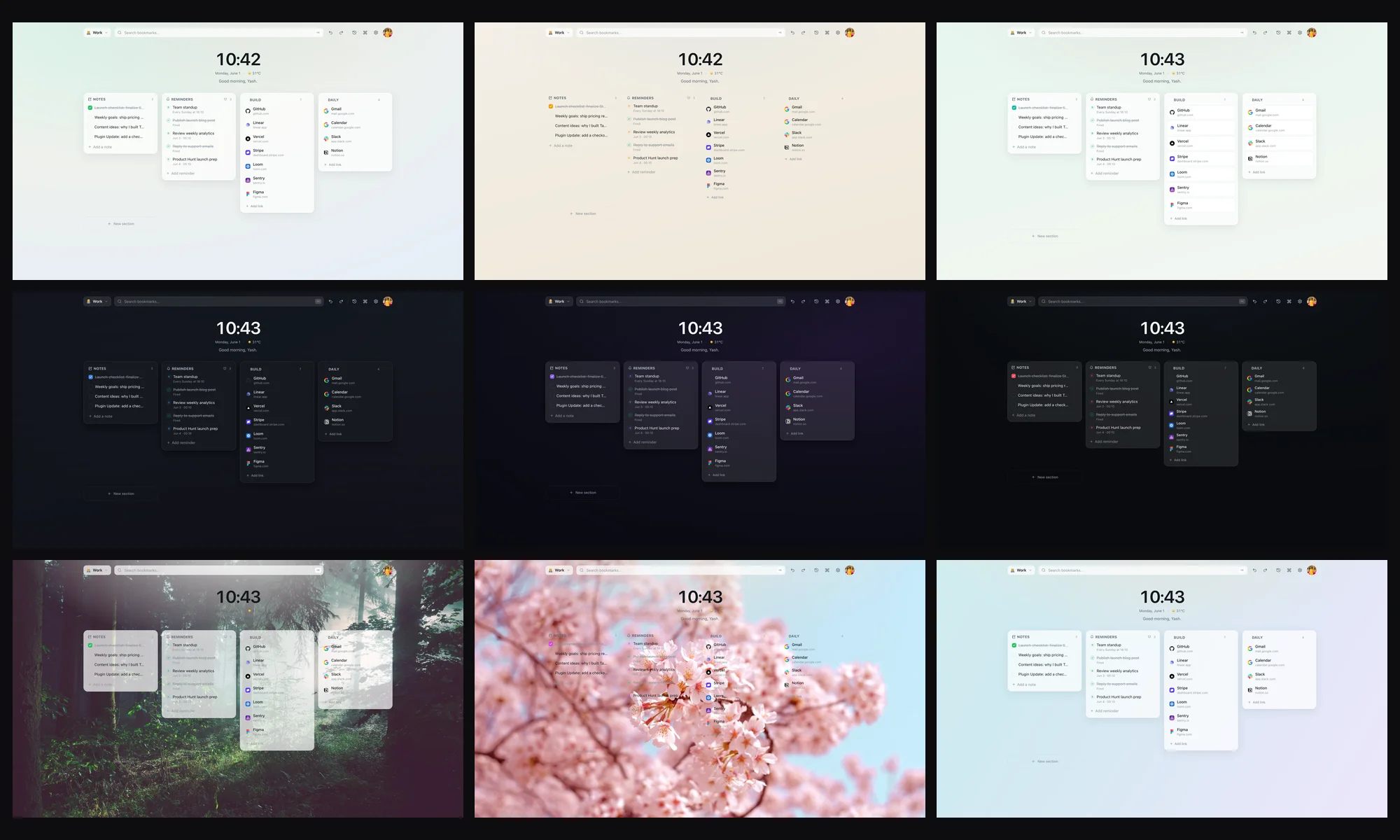
| Themes and custom backgrounds | Custom backgrounds gated behind Plus | Yes, free, multiple themes |
| Offline mode | Needs network for daily photo | Fully offline, IndexedDB local-first |
| Optional cloud sync | Account required, tied to Plus features | Free for any signed-in user |
| Account required | Yes, for most features | No, free tier works without sign-up |
The pattern is consistent. Tabisto gives the productive surface for free and charges only for volume. Momentum gives the aesthetic surface for free and charges for the productive surface.
Reason 1: The free tier is actually useful
Open Momentum without Plus and the experience is a photo, a quote, the weather, and one focus task. That is the whole product on the free tier. The links bar, the todo list, custom backgrounds, notes, mantras, and the integrations are all Plus features. The reviews and Reddit threads make this clear: people install Momentum, enjoy it for a week, then hit a wall the moment they try to use it for real work.
Tabisto inverts that. The free plan covers 2 workspaces, 25 visual bookmarks, 1 saved session, 3 reminders, the command palette, quick notes, themes, and offline use. No sign-up required. If you never upgrade, you still have a working dashboard, not a demo. Pro at $3.99 a month removes the count limits. That is the only thing it does. Every feature is in the free tier in some form.
Reason 2: Bookmarks that are not buried in a menu
Chrome's bookmark bar is fine for ten links. Past that it becomes a folder tree no one opens, which is exactly the problem a good way to organize your Chrome bookmarks solves. Momentum's links bar tries to solve this but lives behind Plus and is essentially a row of pinned tiles.
Tabisto treats bookmarks as the main object of the page. You create sections like "Daily", "Clients", "Reading", "Research", and drop visual cards into them. Favicons come from the browser's own cache, not a third-party favicon service, so they load instantly and respect your privacy. The dashboard is the place your links live, not a sidebar you forget about.
Reason 3: Workspaces for the way you actually use a browser
Most people run at least two lives in one browser. Work email next to a Notion personal wiki next to a research rabbit hole. Momentum has one surface for all of it.
Tabisto has workspaces. Personal, Work, Research, or whatever you name them. Each workspace has its own sections, bookmarks, and notes. Switching is one click. The free plan includes 2 workspaces, which covers the personal and work split most people need. Pro lifts the limit entirely.
This single feature is the most common reason switchers stay. The daily photo is nice. Not being asked to look at client links while you are off the clock is better.
Reason 4: Saved sessions, the feature Momentum never built
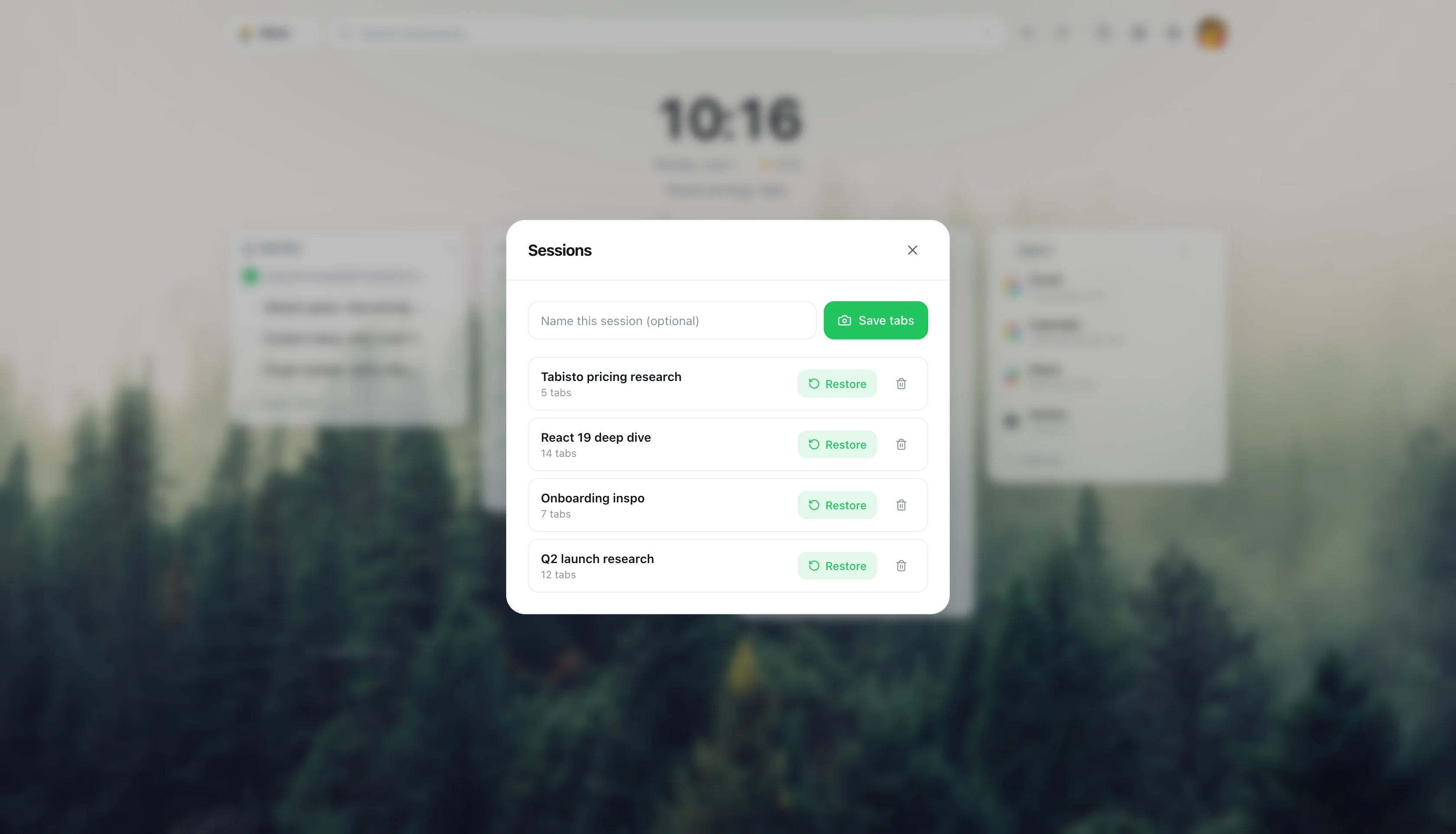
If you have ever closed a window of fourteen research tabs and felt a flicker of dread, you understand sessions. Tabisto lets you snapshot the current window as a named session and restore it later with one click. The Monday morning workflow becomes: open a new tab, click "Engineering review", get all your tabs back.
Momentum does not do this. Neither do most new-tab extensions in this category. It is closer to what Workona or Toby offer, but built into the new tab page so you do not run a second tool. The free plan includes 1 saved session, which is enough to test the habit. Pro removes the limit.
Reason 5: A command palette that turns the new tab into a launcher
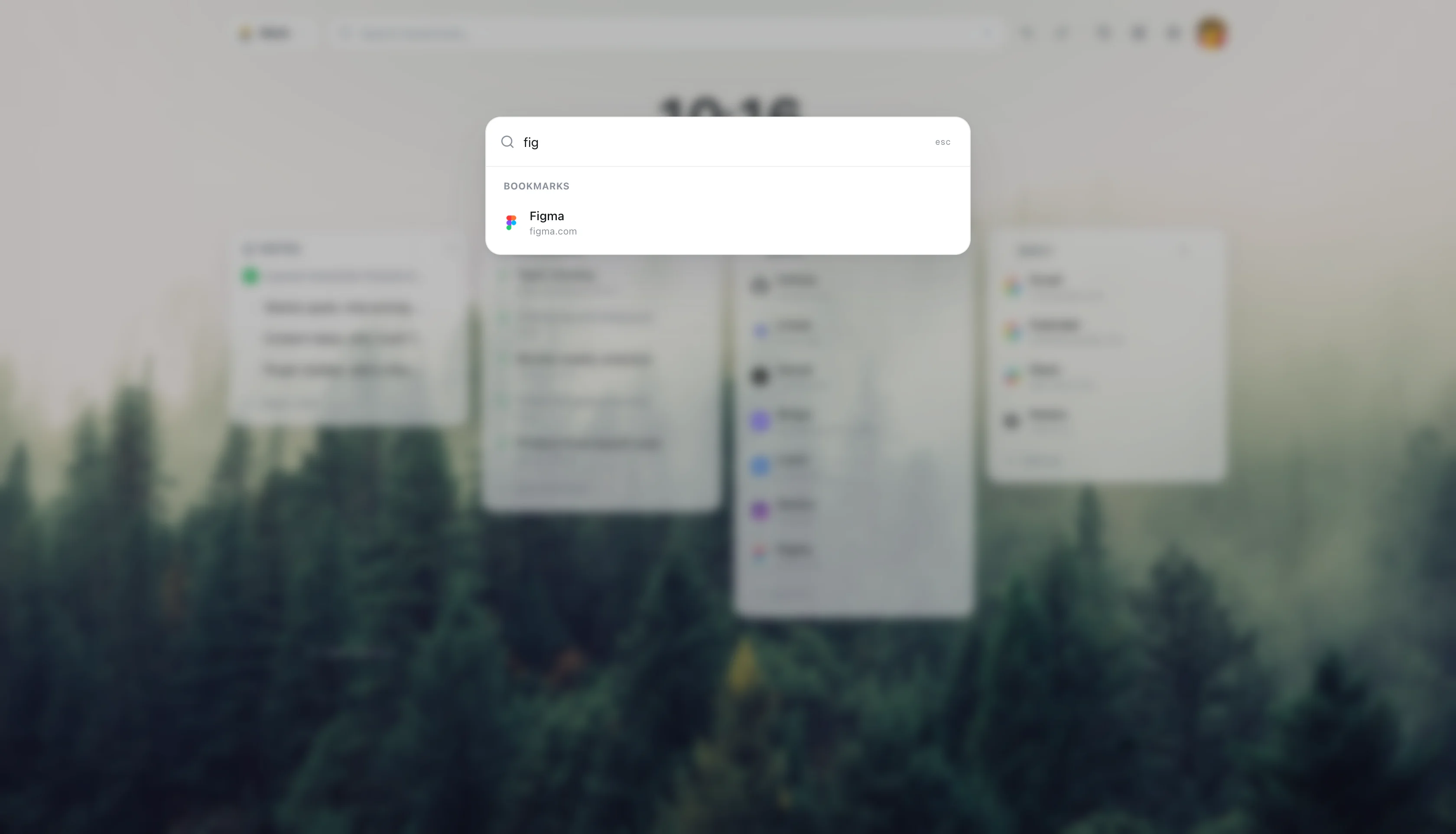
Cmd+K opens a fuzzy search over every bookmark, section, workspace, and action in Tabisto. Type three letters of a site name and hit Enter. Add a reminder without touching the mouse. Switch workspaces. Jump to notes.
Momentum has no command palette. For anyone who has used Raycast, Linear, or Superhuman, this is the feature that makes a new tab page feel like a real tool instead of a wallpaper. It is in the free tier.
Reason 6: It loads instantly, even offline
Momentum fetches a high-resolution photo on every new tab. On a fast connection it is invisible. On a flaky hotel network or a cold-boot Chrome it is a noticeable beat where the page is blank or shows yesterday's image. Open a new tab on a plane and the experience degrades.
Tabisto is local-first. All your data sits in IndexedDB. Themes and backgrounds ship with the extension. A new tab opens in the time it takes Chrome to paint, no network round-trip required. Sync is optional and runs in the background only when you are signed in.
Reason 7: Sync without joining a club
Momentum ties sync and most useful features to a Plus account. Tabisto's sync is free for any signed-in user. You can use the entire free tier without an account, and if you want your bookmarks on a second machine you sign in with Google and turn it on. Sync is not gated behind Pro. Pro is purely about removing the count limits.
The data model is one JSONB row per user in Supabase, last-write-wins on a timestamp, debounced on the client. It is not a social product. There is no feed. Your data is yours, encrypted in transit, guarded by row-level security.
Migrating from Momentum to Tabisto
This takes about two minutes. No export from Momentum is required because Momentum does not really hold any data worth exporting beyond the Plus todo list.
- Install Tabisto from the Chrome Web Store. The extension ID is
djaejekjeiaidoghnpndlfbnikpndngjif you want to verify the listing. - Open a new tab. You will see a starter dashboard with example sections. Hit the dismiss action on the demo content to clear it.
- Create your first workspace. Most people start with "Personal" and "Work".
- Add bookmarks. Either paste URLs into a section or use the import flow under Settings to pull from Chrome's existing bookmarks.
- Try the command palette with Cmd+K. Search a bookmark. Switch workspaces. Add a reminder.
- Optional: sign in with Google to turn on sync across devices.
- Optional: uninstall Momentum, or keep both running. They do not conflict because only the most recently installed new-tab extension takes over the page.
If you were paying for Momentum Plus for the todo list, the notes, and the custom backgrounds, all three are in Tabisto's free tier. You can cancel Plus before you decide on Pro.
Honest notes on what Momentum still does better
Three things are worth naming directly.
The daily photography is genuinely beautiful. Momentum has spent years curating that library. Tabisto ships with a set of clean themes and gradient backgrounds, and you can set a custom image, but it is not a daily curated feed. If the photo is the reason you open new tabs, Momentum wins that single comparison.
The quote and mantra system is a real ritual for many users. Tabisto is not trying to be a mindfulness app. There is no daily quote. The quiet of the dashboard is the closest equivalent.
Install base and brand. Momentum has tens of millions of installs and a decade of polish. Tabisto is newer. The tradeoff is that newer software listens. The reminders system, the command palette, and the session restore feature exist because users asked for them in the last six months.
If those three things matter more than bookmarks, workspaces, sessions, and a command palette, stay on Momentum. If the list is the other way around, the rest of this page is for you.
Pricing, plainly
Tabisto Free covers 2 workspaces, 25 bookmarks, 1 saved session, 3 reminders, the command palette, notes, themes, and offline use. No account required.
Tabisto Pro is $3.99 a month or $35.88 a year, with a 7-day free trial. Pro removes the count limits. That is the only difference. There is no Pro-only feature.
Momentum Plus is around $3.33 a month billed yearly and unlocks the links bar, todo list, custom backgrounds, notes, mantras, and integrations. The free Momentum tier without Plus is closer to a screensaver than a dashboard.
The honest read: if you would pay Momentum for Plus, Tabisto Pro is 60 cents more and includes everything Plus does plus workspaces, sessions, the command palette, and offline support.
FAQ
Is Tabisto really free?
Yes. The free tier does not require an account and includes the command palette, notes, themes, offline mode, 2 workspaces, 25 bookmarks, 1 saved session, and 3 reminders. Pro at $3.99 a month removes the count limits.
What is the best new tab Chrome extension if I want productivity, not just a photo?
For productivity, Tabisto is built around bookmarks, workspaces, saved sessions, and a command palette. Momentum, Bonjourr, and Pawxel lean visual. Toby and Workona lean toward tab management without the new-tab integration. Tabisto sits between the two by being the new tab page and the dashboard at once.
Does Tabisto require sign-up like Momentum does?
No. The full free tier works without an account. You only sign in if you want cloud sync across devices, which is free for any signed-in user.
How does Tabisto compare to Momentum Plus specifically?
Momentum Plus unlocks the links bar, todo list, custom backgrounds, notes, and mantras. Tabisto's free tier already includes visual bookmarks, reminders, notes, and themes. Tabisto Pro adds workspaces, sessions, and unlimited counts that Momentum does not offer at any tier.
Will Tabisto slow down new tab opens?
No. Tabisto is local-first. Data lives in IndexedDB, themes ship with the extension, and there is no remote photo fetch. New tabs render as fast as Chrome paints. Momentum's daily photo fetch is the most common slowness complaint in its reviews.
Can I import my Chrome bookmarks?
Yes. Settings includes a bookmarks import flow that pulls from Chrome's existing bookmark tree. You can place imported links into any section you create.
What happens to my data if I cancel Pro?
Nothing is deleted. The overflow is locked in place, meaning your extra workspaces and bookmarks stay in the database but are read-only until you either remove some or re-upgrade. Re-upgrading instantly unlocks everything again.
Is Tabisto open about privacy?
Yes. Data is stored locally by default. Sync is opt-in. Favicons come from the browser cache, not a third-party favicon CDN, so no third party sees the list of sites you visit. There is no analytics SDK tracking individual actions.
What are the best Momentum alternatives?
It depends on what you want from a new tab. Among Momentum alternatives and extensions like Momentum, Tabisto fits people who want bookmarks, workspaces, and sessions rather than a single daily-focus photo. Others stay closer to Momentum's calm-photo model. Our best Chrome new tab extensions guide weighs the main ones.