Workona alternative
A Workona alternative built for the new tab, not a subscription
Workona is a powerful cloud workspace manager aimed at teams. Tabisto covers the same core jobs, workspaces and saved tab sessions, as a free, local-first new tab. Here is how they compare and who each one fits.
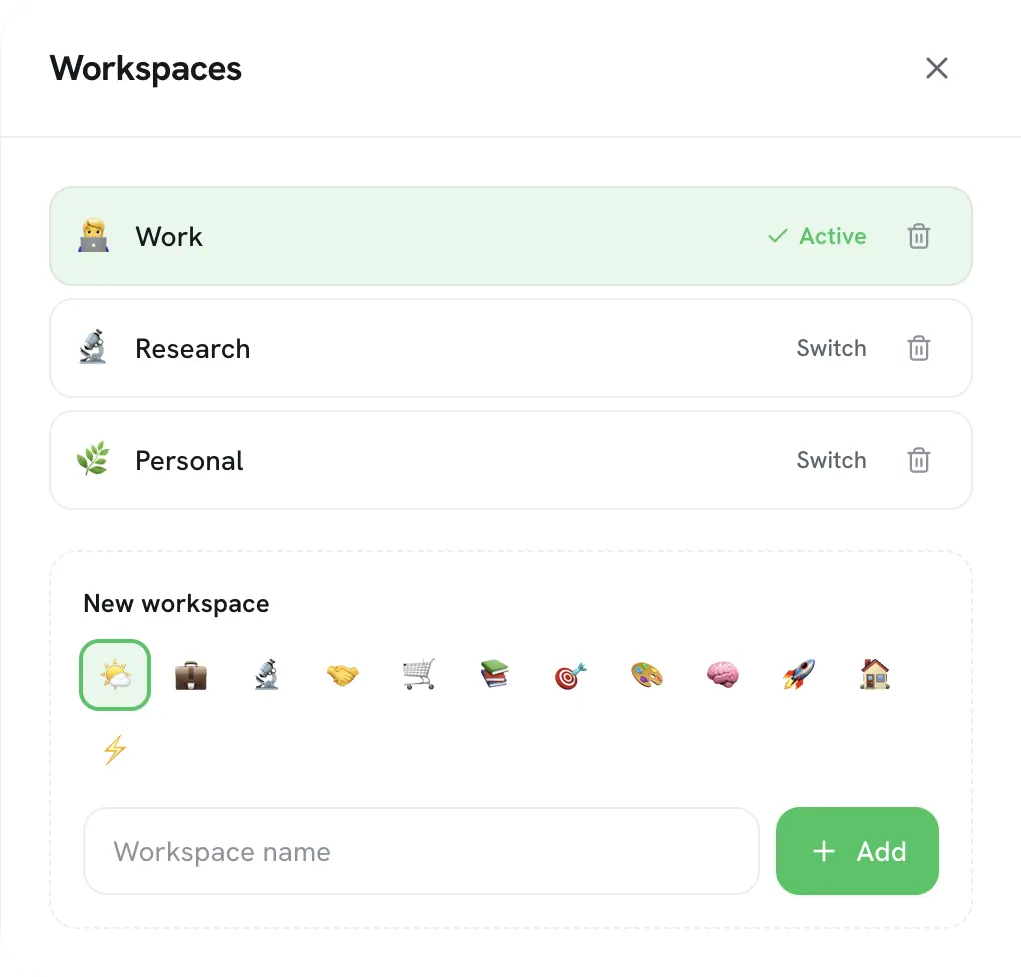
If you want a Workona alternative, the trade is power-and-cloud for free-and-local. Workona is a feature-deep, cloud-based workspace manager built for teams, with spaces, tab suspension, and sync across devices on a subscription. Tabisto is a free, local-first new tab that covers the core jobs most solo users actually reach for: workspaces, saved tab sessions, and visual bookmarks, with free sync and no per-seat pricing.
Pick based on whether you need a team tool with deep cloud features, or a fast personal workspace that does not bill you monthly.
Quick comparison
| Workona | Tabisto | |
|---|---|---|
| Built for | Teams, heavy tab management | Solo, calm new tab |
| Workspaces | Yes, cloud spaces | Yes, on the new tab |
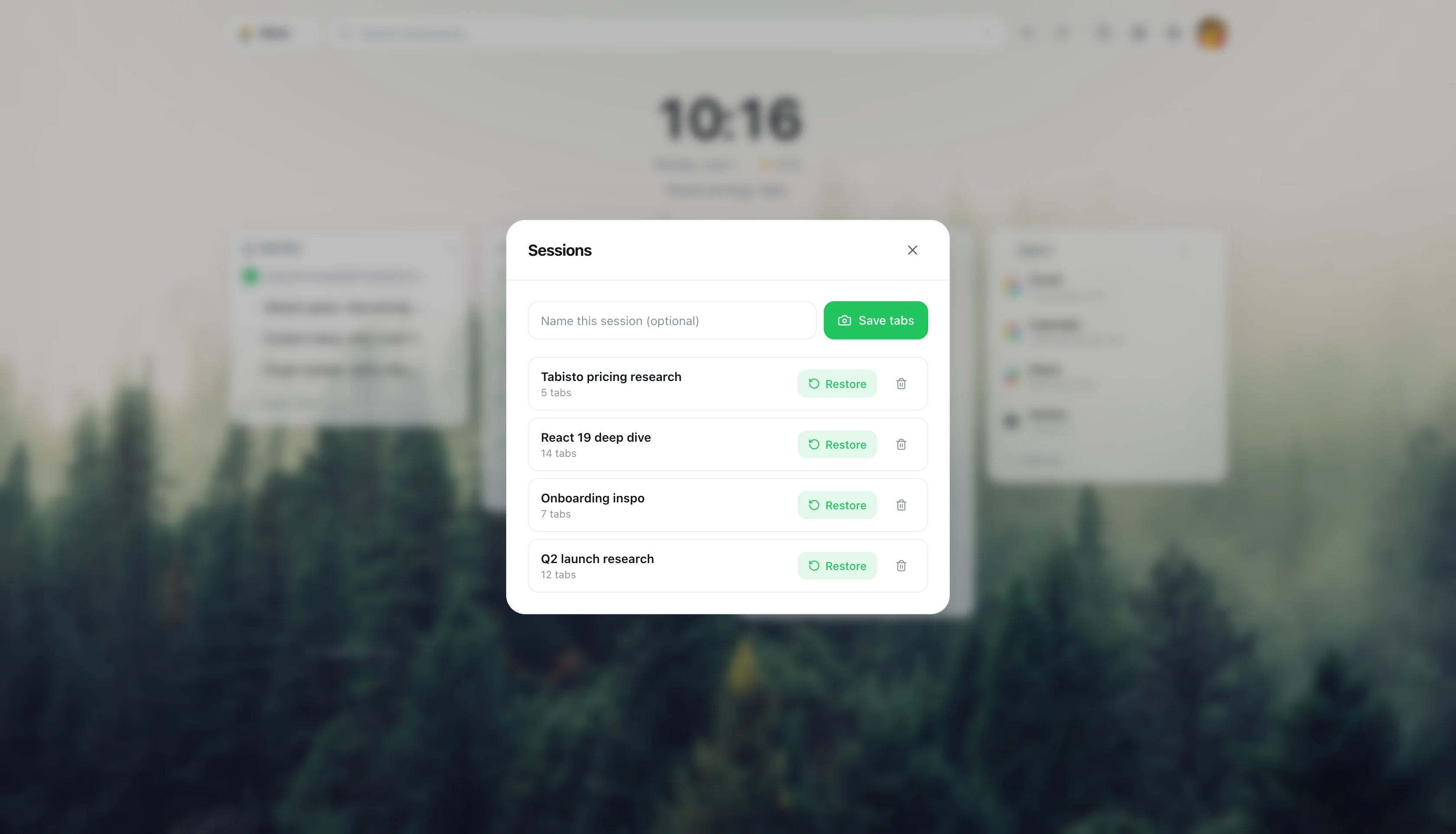
| Saved sessions | Yes | Yes |
| Bookmarks on new tab | No | Yes, visual grid |
| Pricing | Free tier, paid per user | Free, Pro optional |
| Data model | Cloud-first | Local-first, opt-in sync |
Where Workona wins
Workona is the more powerful tool, and for the right user that matters. Its spaces handle large numbers of tabs across windows, it suspends inactive tabs to save memory, and it has real team features for sharing resources and working together. If you manage dozens of projects with many tabs each, or you need a shared workspace for a team, Workona is built for that scale.
It is also deeply cloud-integrated, which is a strength if you want everything synced and accessible from any machine through its web app.
Where Tabisto wins
The cost of Workona's power is that it is a cloud app you sign into, with pricing that climbs per user. For a solo user who mainly wants their projects and links organized, it can be more tool than the job needs.
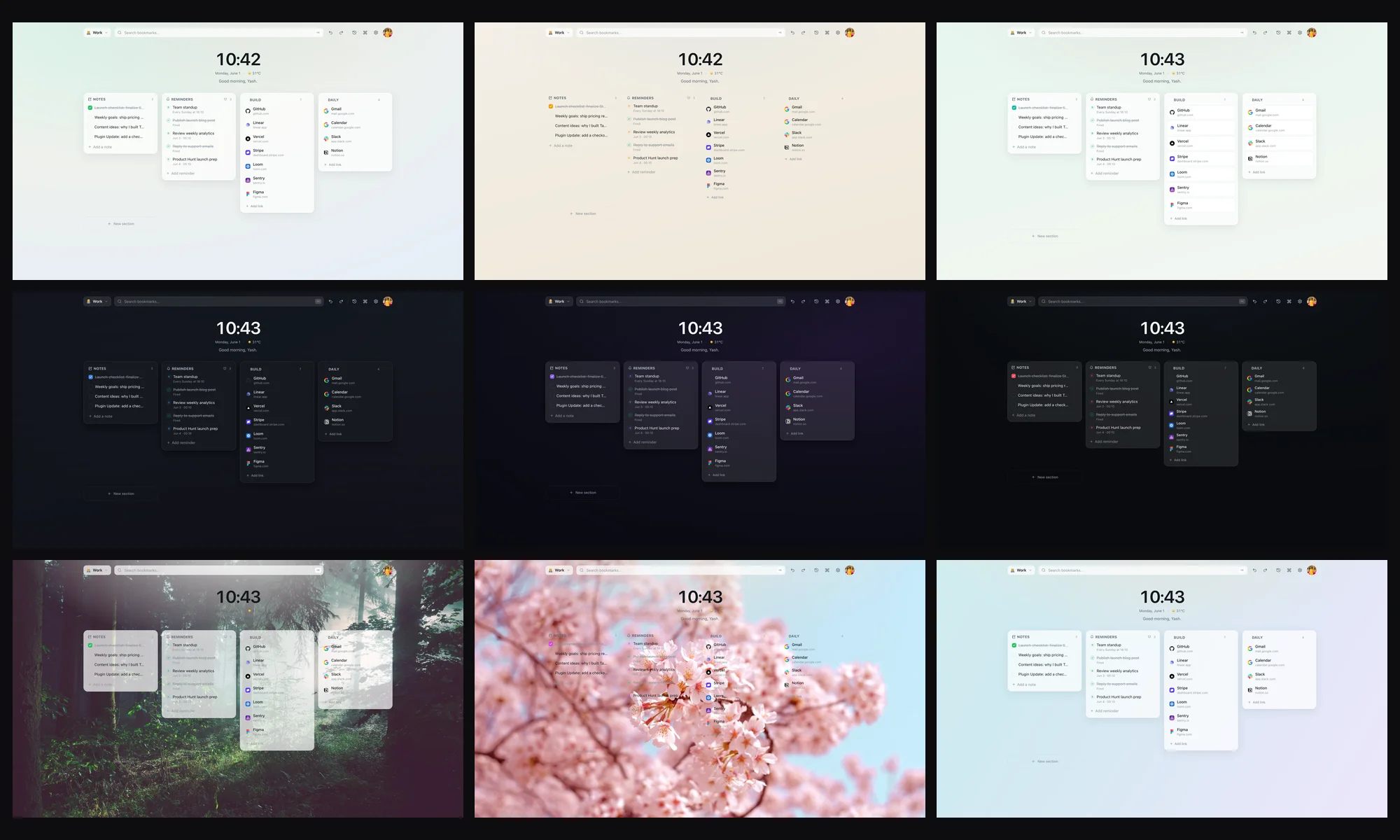
Tabisto takes the lighter path. It lives on your new tab as a visual dashboard: bookmarks in sections, separate workspaces, saved sessions, notes, and reminders. It is local-first, so it loads instantly and works offline, and sync across devices is free for anyone signed in rather than a paid upgrade. There is no per-seat pricing and no account required to start.
It also puts your bookmarks front and center, which Workona does not really do. Workona organizes tabs and resources; Tabisto organizes the links you return to, on the page you open all day.
Who should switch, who should not
Switch to Tabisto if you are a solo user, you want workspaces and sessions without a subscription, and you like your bookmarks visible on every new tab. The free tier covers 2 workspaces, 25 bookmarks, 1 saved session, and 3 reminders, and Pro at $3.99 a month removes the limits.
Stay with Workona if you run a team that shares workspaces, you juggle hundreds of tabs and need suspension, or you want a full cloud web app rather than a browser new tab. The two can also coexist: Workona for heavy team project management, Tabisto for your personal new tab.
For the broader picture, our guide on Chrome workspaces for work and personal covers profiles plus workspaces, and our save and restore tab sessions guide goes deeper on sessions.
Moving from Workona to Tabisto
There is no direct import, but the switch is quick because the concepts map cleanly. Recreate each Workona space as a Tabisto workspace. For tab sets you reopen, save them as Tabisto sessions. Bring your bookmarks in by importing your Chrome bookmarks, which Tabisto reads in one step. Most people set this up once in well under an hour.
Frequently asked questions
What is the best free Workona alternative?
For solo users who want workspaces and saved sessions without a subscription, Tabisto is a strong free Workona alternative. It puts workspaces and bookmarks on your new tab, is local-first, and includes free sync. For team workspace sharing at scale, the closest alternatives stay cloud-based like Workona itself.
Is Tabisto free like Workona's free plan?
Yes, and with no per-seat pricing. Tabisto's free plan covers 2 workspaces, 25 bookmarks, 1 saved session, and 3 reminders, plus themes, the command palette, offline use, and cloud sync. Pro at $3.99 a month or $35.88 a year removes the limits.
Does Tabisto suspend tabs like Workona?
No. Tab suspension is a Workona strength for people running hundreds of tabs. Tabisto takes a different approach: instead of suspending open tabs, you save a group as a session and close them, then restore the whole set later. It reduces open tabs rather than freezing them.
Can a team use Tabisto like Workona?
Tabisto is built for individuals, with per-person sync across your own devices. It does not have Workona's shared team spaces. If your main need is collaborative workspaces, Workona fits better; if each person wants their own organized new tab, Tabisto works well across a team of individuals.