Diigo alternative
Diigo alternative: a faster, visual bookmark manager for Chrome
Diigo was built for clipping and archiving the web. Tabisto is built for living in it: your bookmarks, organized into sections and workspaces, on every new tab.

By Yash Kapoor·
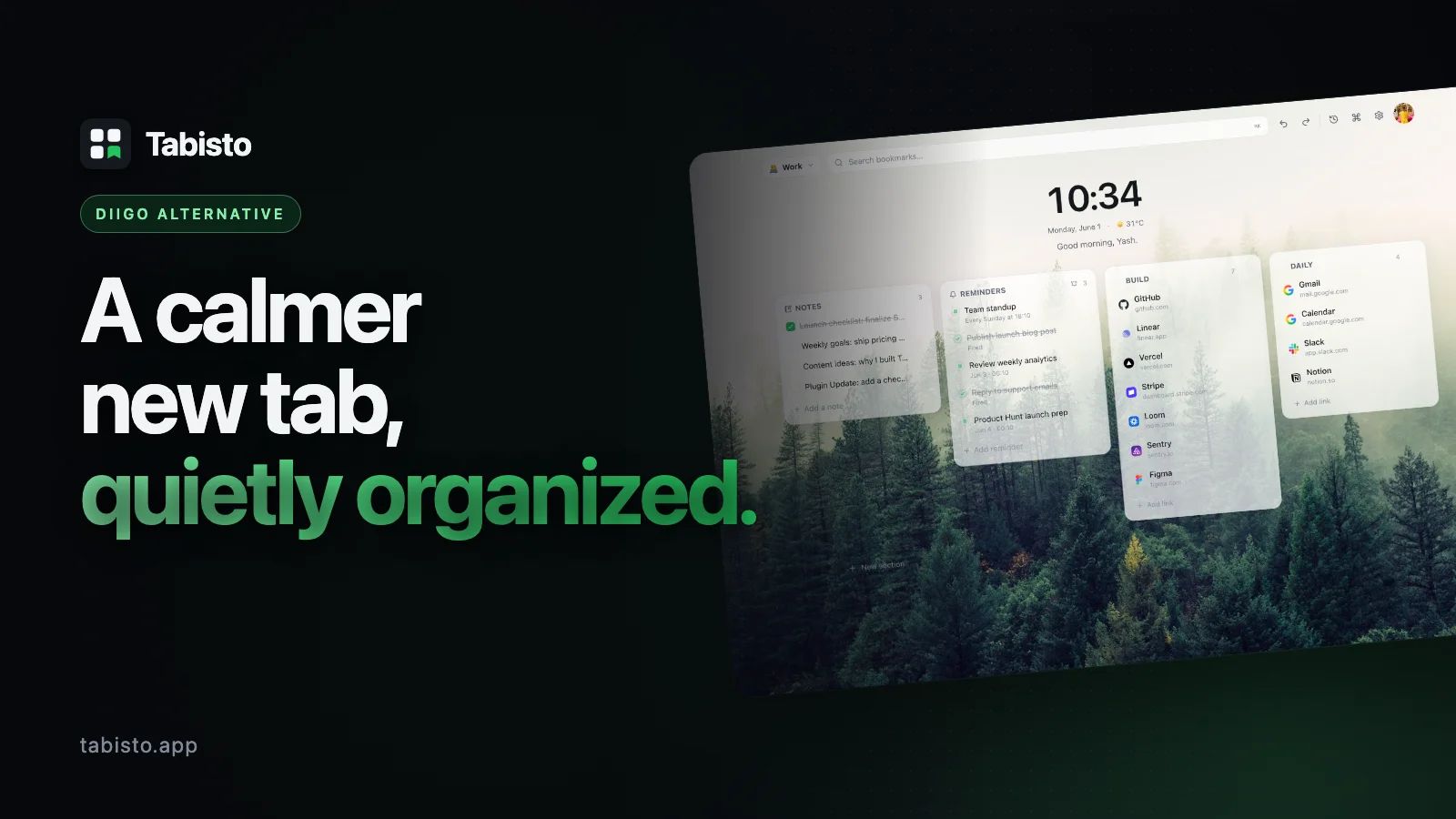
If you are searching for a Diigo alternative, you are probably one of two people. Either you are a long-time Diigo user who feels the product has gone quiet and the free tier has gotten thin, or you tried Diigo expecting a simple bookmark manager and found a research-and-annotation suite that was heavier than you wanted.
This page is for both. It is an honest comparison of Tabisto, a free Chrome new-tab extension at tabisto.app, against Diigo. They are not the same kind of tool, and pretending otherwise would waste your time. So the first job here is to tell you where Tabisto wins, and where Diigo is still the right pick.
Are Tabisto and Diigo even the same kind of tool?
Short answer: no, and that distinction is the whole point.
Diigo is a web-based research tool. Its core jobs are highlighting and annotating web pages, saving article snapshots to read later, tagging everything, and sharing collections with a group. It lives in the cloud and on a toolbar button. It is genuinely good at academic research and deep reading workflows.
Tabisto is a visual bookmark manager that replaces your new tab page. Its core jobs are organizing the links you open every day into clean sections and workspaces, restoring groups of tabs, and giving you a calm dashboard with notes and reminders. It is local-first and loads instantly, and it can sync your bookmarks across browsers once you sign in.
So if your real need is "highlight and annotate research papers," Tabisto is not your tool, and this page will not pretend it is. If your real need is "I have hundreds of bookmarks in a mess and I want them organized and one click away," read on, because that is exactly what Tabisto does better.
Tabisto vs Diigo at a glance
| Feature | Diigo | Tabisto |
|---|---|---|
| Replaces the new tab page | No | Yes, a calm dashboard on every new tab |
| Visual bookmarks in sections | Tag-based lists | Yes, custom sections you arrange |
| Separate workspaces | No | Yes (Personal, Work, Research, custom) |
| One-click restore a tab group | No | Yes, called Saved Sessions |
| Page highlighting and annotation | Yes, core feature | No |
| Save article snapshots / archive | Yes | No |
| Quick notes scratchpad | Limited (sticky notes) | Yes, built into the dashboard |
| Reminders with date and time | No | Yes, with quick chips |
| Command palette (⌘K) search | No | Yes |
| Works offline | Mostly cloud | Yes, local-first via IndexedDB |
| Loads instantly on a new tab | No, separate view | Yes |
| Free plan limits | Tight item and annotation caps | 2 workspaces, 25 bookmarks, 1 saved session, 3 reminders |
| Paid plan | Subscription tiers for basics | $3.99/mo or $35.88/yr, 7-day free trial |
That is the honest map. Diigo owns the annotation column. Tabisto owns the daily-organization-and-speed column.
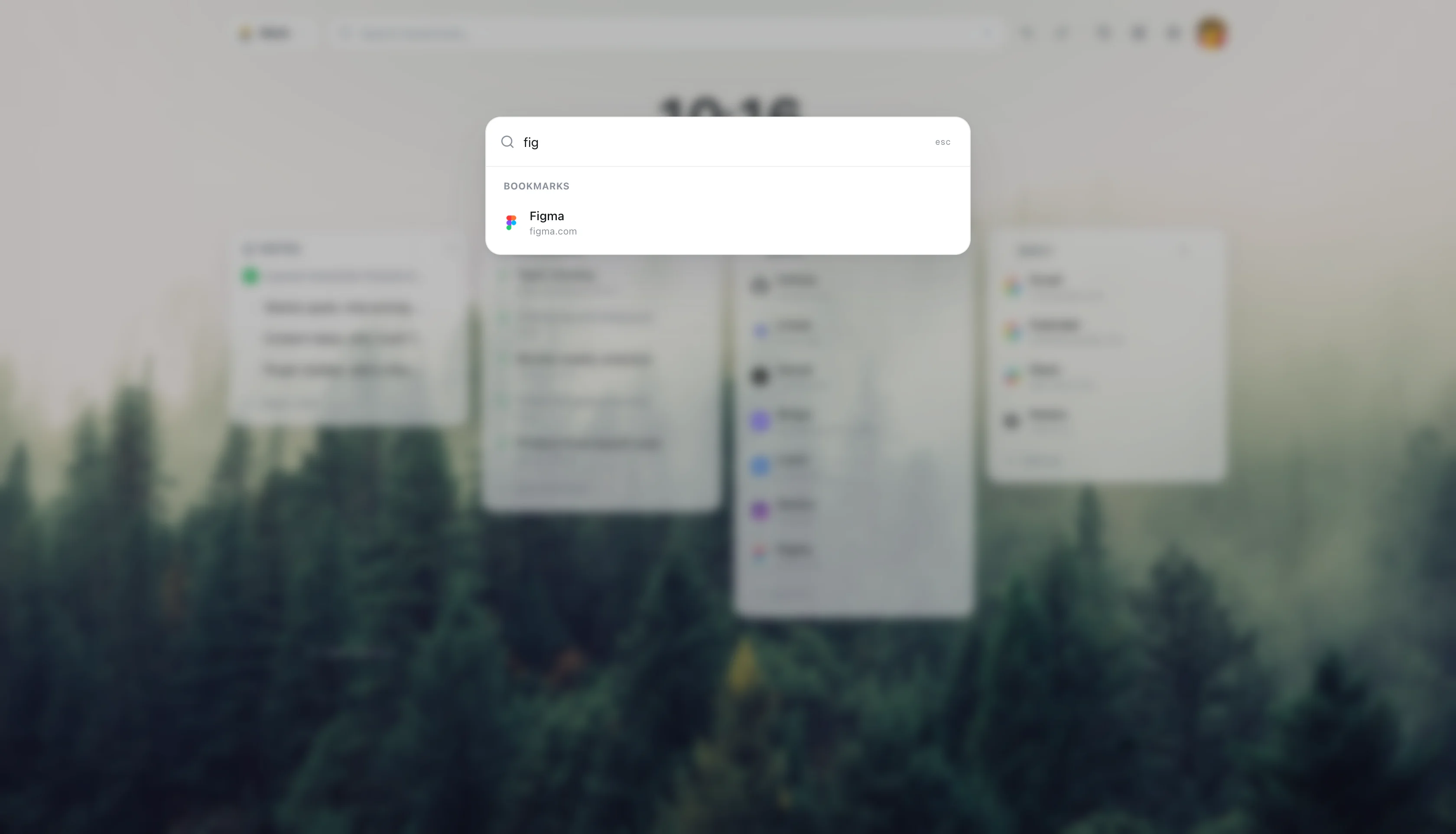
1. Your bookmarks live on the new tab, not behind a toolbar button
This is the structural difference that makes people switch.
With Diigo, your saved links live inside the Diigo library. To get to them you click the toolbar button or open the Diigo site, then scan tags and lists. It is a place you visit.
With Tabisto, your bookmarks are the first thing you see every time you open a tab. There is no button to click and no separate library to load. Press ⌘T and your organized sections are right there, favicons already loaded from the browser itself. For links you actually use every day, that zero-friction access changes the whole feel.
2. Sections and workspaces beat a wall of tags
Diigo organizes by tags. Tags are powerful for search-heavy research, but they are weak for "show me my five daily tools at a glance." You end up filtering instead of seeing.
Tabisto organizes visually. You build sections (Daily, Work, Reading, Clients, Repos) and drop bookmarks into them in the order that makes sense to you. Then you split your whole life into workspaces, so your Personal links and your Work links never bleed together. Switching workspace is one click and the entire board swaps.
For people whose bookmark pain is "it is a disorganized pile," this visual model solves the problem that tags never quite did.
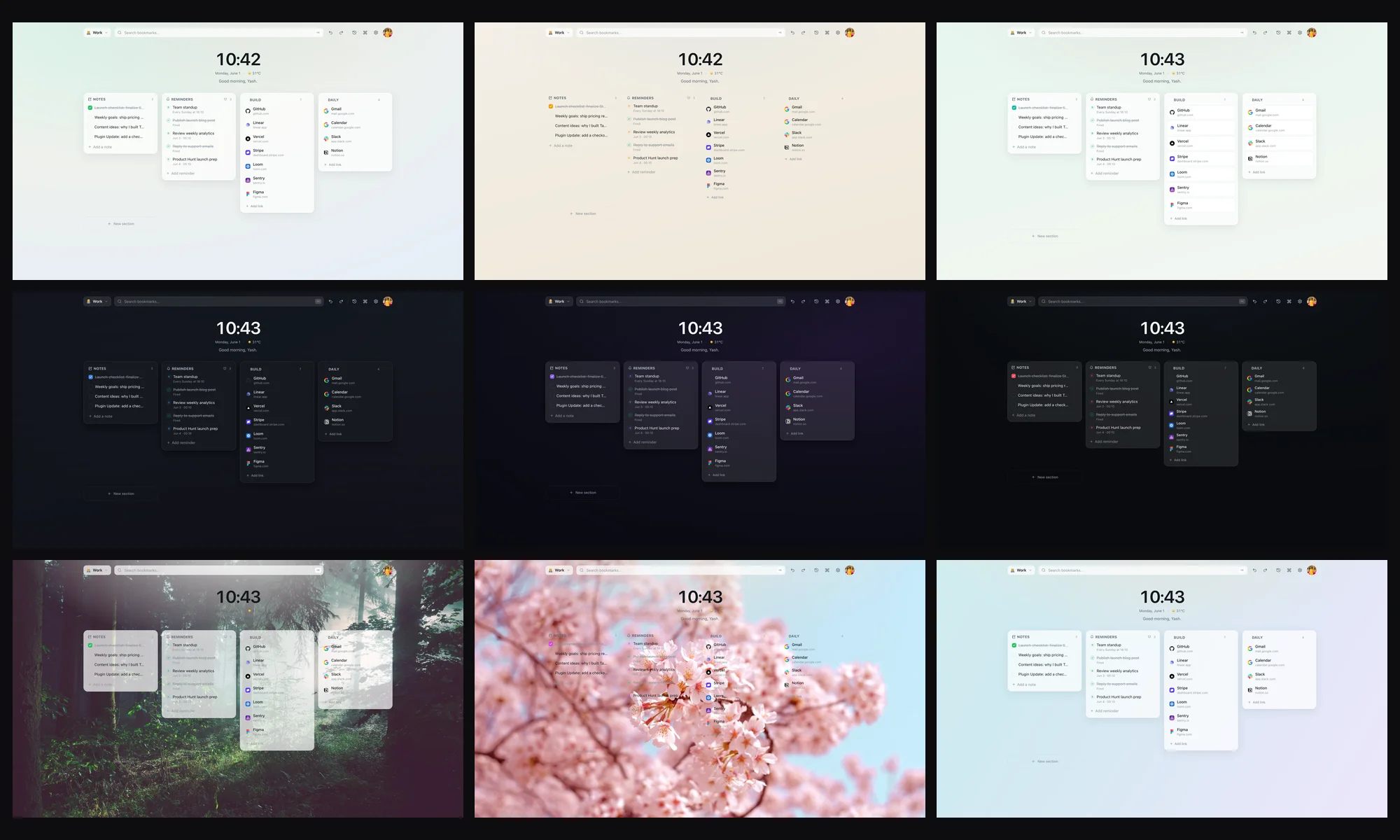
3. Saved Sessions restore a whole research group in one click
Diigo can save individual pages, but it does not snapshot a working set of tabs and bring them all back together.
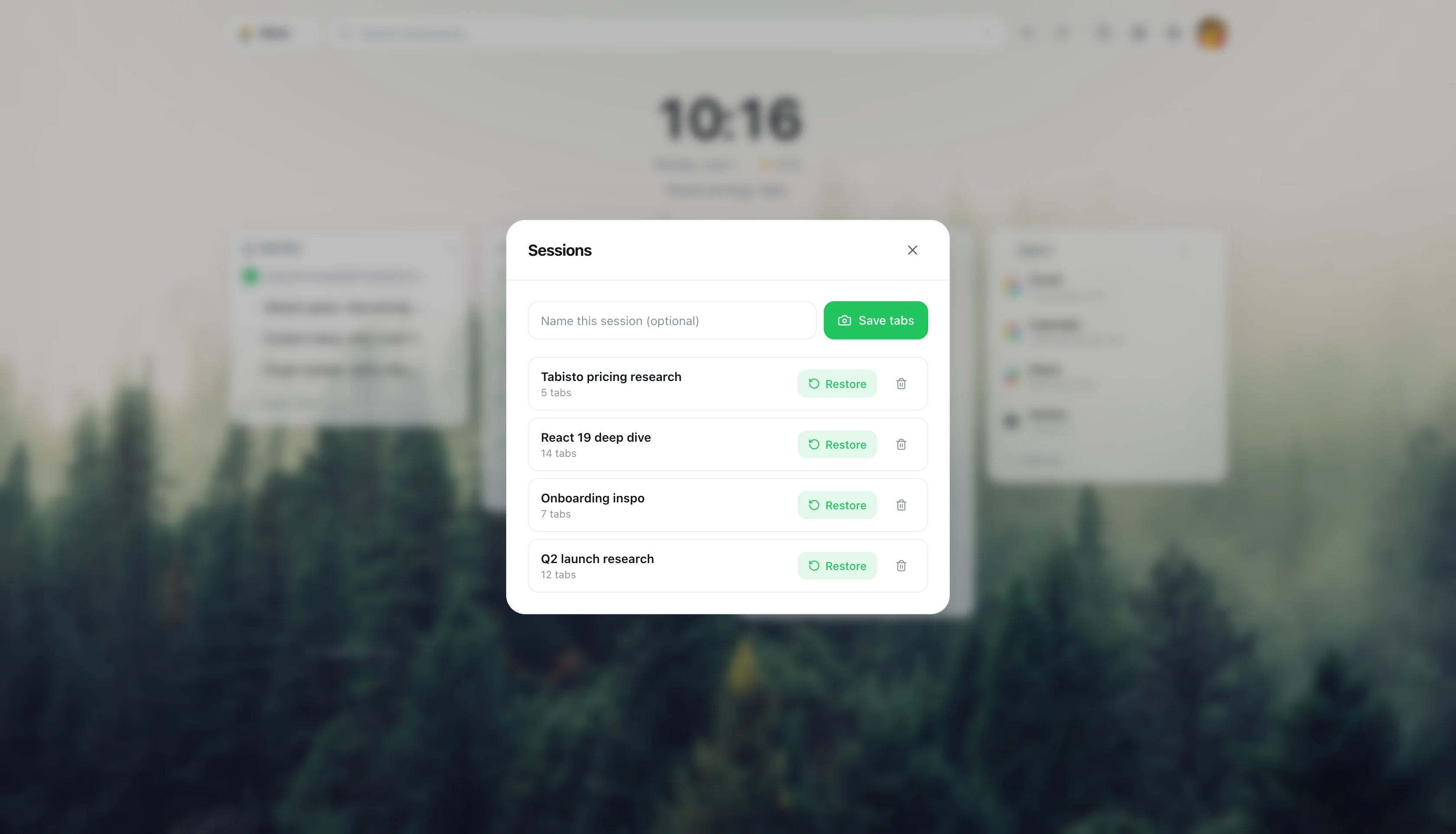
Tabisto does. Open the eight tabs you need for a project, save them as a named session, close them. Tomorrow, click once and the whole group reopens in order. For research projects that means you can put the project down without losing your place, which is something Diigo never handled cleanly.
4. Local-first and instant, not cloud-first and slow
Diigo is cloud-first. Your library lives on its servers, and the experience depends on a round trip.
Tabisto stores everything locally in IndexedDB inside Chrome. The new tab paints instantly, works fully offline, and pulls favicons from the browser instead of a third-party service that breaks half the time. If you sign in with Google, sync turns on for free across your devices. No account is required to start.
5. The pricing does not paywall the basics
A common reason people search for a Diigo alternative is that features they consider basic sit behind a subscription, and the free tier caps feel tight.
Tabisto Pro is $3.99 a month or $35.88 a year with a 7-day free trial, and the free plan is real, not a teaser. You get 2 workspaces, 25 visual bookmarks, 1 saved session, 3 reminders, full theming, the command palette, quick notes, offline use, and optional free sync, with no credit card. Plenty of people never need to upgrade.
How to move from Diigo to Tabisto
You do not need a complicated importer for the organizing job. The move takes about fifteen minutes.
Step 1. Install Tabisto from the Chrome Web Store. The extension ID is djaejekjeiaidoghnpndlfbnikpndngj if you want to verify the listing. Open a new tab and the dashboard loads.
Step 2. Export your bookmarks. If your links live in Chrome already, Tabisto imports them directly. If they live only in Diigo, export your library from Diigo, import it into Chrome's bookmark manager as HTML, then use Tabisto's Import Bookmarks setting.
Step 3. Sort the imported links into sections. This is the moment your pile becomes a system. Create a few sections per workspace and drag bookmarks where they belong. Prune the dead ones as you go.
Step 4. Split into workspaces. Move Work links into a Work workspace and Personal links into a Personal one. Switching between them is one click.
Step 5. Capture project tab groups as sessions. For any set of pages you reopen together, save them as a session so the whole group is one click away.
Step 6. Keep Diigo for annotation if you still need it. This is the honest part. If you genuinely use Diigo for highlighting and archiving research, keep it for that and let Tabisto handle daily organization and speed. The two can coexist.
What Diigo still does better
To keep this fair: Diigo's web highlighting, inline annotation, page archiving, and shared group libraries are real strengths that Tabisto does not try to copy. If your work is reading and marking up sources all day, or collaborating on a shared research library, Diigo is still the better fit for that specific job.
Most people searching for a Diigo alternative are not doing that, though. They want their bookmarks organized, fast, and in front of them. That is the job Tabisto is built for.
FAQ
Is Tabisto a free Diigo alternative?
Yes, for the bookmark-organizing job. Tabisto's free plan covers 2 workspaces, 25 visual bookmarks, 1 saved session, and 3 reminders, with full theming, the command palette, quick notes, offline use, and optional free sync. No credit card to start. Pro at $3.99 a month or $35.88 a year removes the limits.
Does Tabisto do highlighting and annotation like Diigo?
No. Tabisto is a visual bookmark manager and new-tab dashboard, not a web annotation tool. It does not highlight or annotate pages or save article snapshots. If those are your main need, keep Diigo for that and use Tabisto for organizing and accessing your bookmarks.
Can I import my Diigo bookmarks into Tabisto?
Yes. Export your library from Diigo, import the HTML file into Chrome's bookmark manager, then use Tabisto's Import Bookmarks setting. Tabisto reads your Chrome bookmarks directly, so anything already in Chrome comes in without an extra export.
Does Tabisto work offline?
Yes. Tabisto is local-first. Your data lives in IndexedDB inside Chrome, the dashboard loads instantly, and it works fully offline. Sync is optional and only runs when you sign in.
Do I need an account to use Tabisto?
No. You can install Tabisto and use the full free plan without ever signing in. Sign in only if you want cloud sync across machines or to start the Pro trial.
Is Tabisto safe to install?
Tabisto is published on the Chrome Web Store with a pinned extension ID of djaejekjeiaidoghnpndlfbnikpndngj. Permissions are scoped to what the features need: storage, tabs, favicons, context menus, identity for optional sign-in, alarms and notifications for reminders. Bookmarks access is optional and requested only when you import.
What are the best Diigo alternatives?
It depends on whether you need annotation or organization. Among Diigo alternatives, Tabisto fits people who want bookmarks organized and reachable on every new tab, not web highlighting. For clipping and annotation, a Diigo-style archiver fits better. Our best free bookmark manager for Chrome guide compares them.