The best free bookmark manager for Chrome in 2026
Five tools, compared honestly, including the one we make. Different jobs suit different managers, so this guide is about matching the tool to how you actually work, not crowning a single winner.

By Yash Kapoor··10 min read
Search for a bookmark manager and you get a wall of options, most of which bury the word "free" until you hit a feature you actually need. This guide cuts through that. It compares five bookmark managers that genuinely work for Chrome, with honest notes on where each one is strong and where it falls down.
If you are here because Chrome's own bookmarks feel cramped, that is the common thread: every tool below works as an alternative to Chrome's built-in bookmarks, giving you a visual layout, better search, or cross-device access that the default manager does not.
One disclosure up front: we make Tabisto, which is first on this list. We have tried to be fair about where it fits and where another tool is the better call, because a list that just says "ours is best at everything" would be useless to you. Read the comparison table near the end if you want the short version.
What makes a bookmark manager actually good
Before the list, it is worth knowing what to judge these on. The features that matter are not the same as the features that get marketed.
- Findability. Can you get to a link fast, without scrolling a giant dropdown? Visual layouts and quick search beat deep folder trees.
- A real free tier. Many "free" managers cap the basics hard. A free tier should cover normal use, not just tease the paid one.
- Speed and privacy. A bookmark tool should load instantly and not phone your links home. Local-first beats cloud-only for both.
- The right shape for your job. Saving research to annotate is a different job from getting your daily links one click away. No single tool wins both.
With that frame, here are the five.
1. Tabisto: best for a visual new-tab dashboard
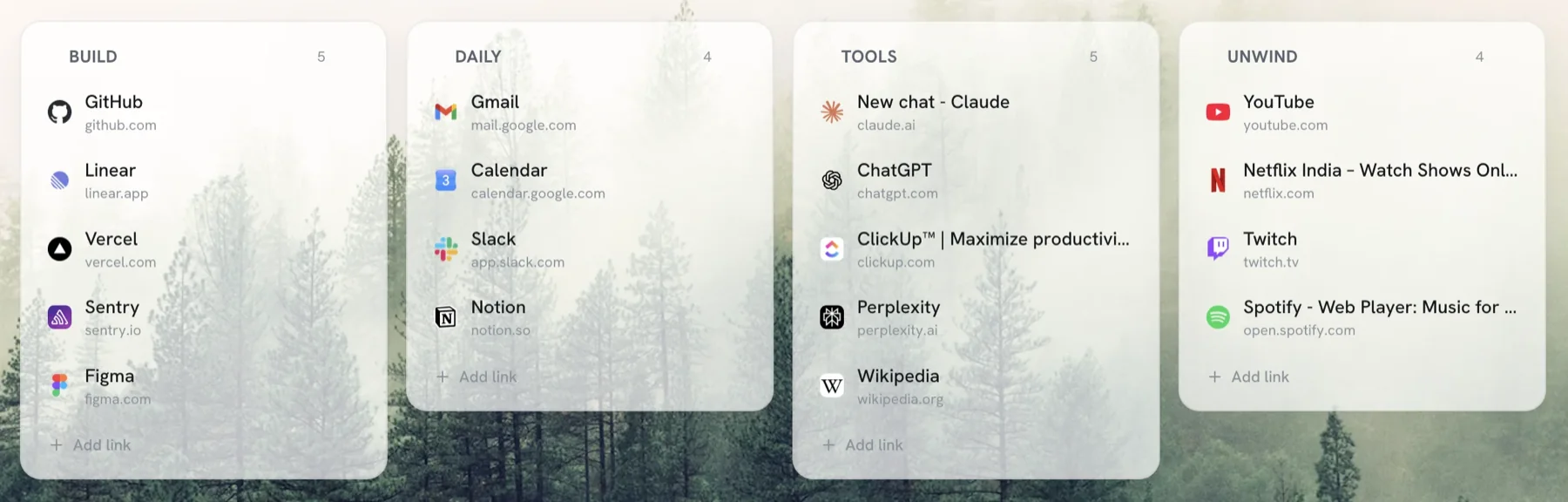
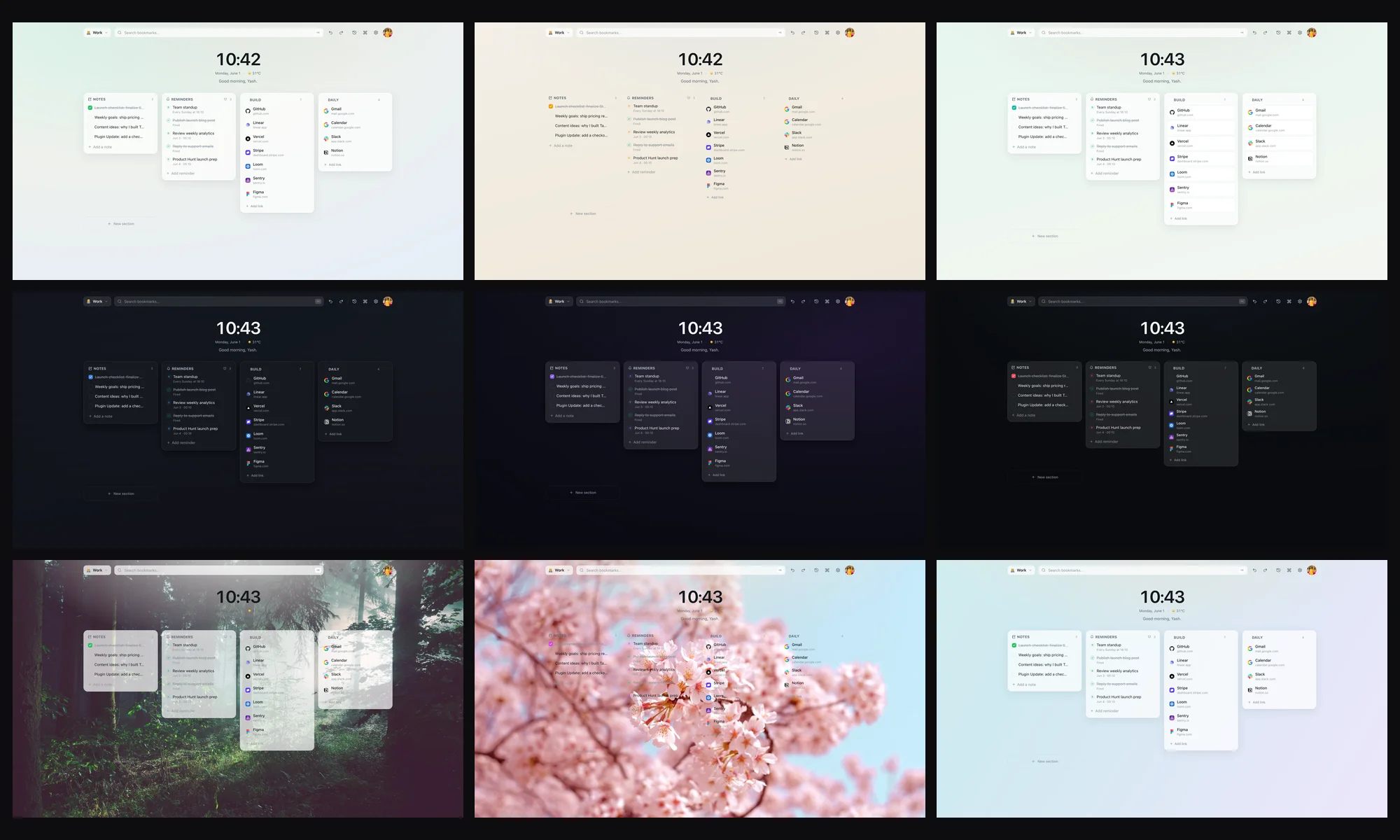
Tabisto replaces your new tab page with a dashboard of visual bookmarks, organized into sections and separate workspaces. The pitch is simple: instead of hiding bookmarks in a dropdown you forget exists, it puts them in front of you every time you open a tab.
Strengths. Bookmarks are visible and one click away. Workspaces keep Work and Personal apart. It also bundles saved tab sessions, quick notes, reminders, and a command palette, so it is more of a browser home base than a pure bookmark list. It is local-first, loads instantly, works offline, and optional sync across devices and browsers is free, not paywalled.
Free tier. 2 workspaces, 25 bookmarks, 1 saved session, 3 reminders, full theming, command palette, notes, offline use, and free sync. No account required to start. Pro ($3.99/mo or $35.88/yr) removes the limits.
Where it falls down. It does not do web highlighting or article archiving, and bookmarks live on the new tab rather than in a sidebar you can open over any page. If you want annotation or a clipping tool, look at Diigo or Raindrop below.
Best for: people whose main pain is "my bookmarks are a buried mess and I want them organized and instantly reachable."
2. Raindrop.io: best for cross-platform collections
Raindrop is a polished, well-known bookmark manager that works across browsers and as mobile apps. It organizes saves into collections with tags, and it can store article previews and copies.
Strengths. Genuinely cross-platform, attractive interface, generous free tier, strong tagging and search. If you save a lot of links across a phone and several computers, Raindrop handles that well.
Where it falls down. It is cloud-first, so it depends on its servers and an account from the start. Some power features (full-text search, permanent copies, nested collections beyond a point) sit behind the paid plan. It is a place you open, not something that meets you on every new tab.
Best for: people who want a cross-device bookmark library with tags and previews and do not mind it being cloud-based.
3. Chrome's built-in bookmarks: best for zero setup
Do not overlook the free tool you already have. Chrome's bookmark manager (Ctrl+Shift+O) supports folders, a bookmarks bar, and syncs to your Google account automatically.
Strengths. Nothing to install, syncs with your Google login, and the bookmarks bar gives genuinely fast access to your top links. For a small, tidy set of bookmarks, it is enough.
Where it falls down. No visual layout, weak search, and folders get unwieldy fast. There is no concept of workspaces or saved tab sessions. It is fine until your bookmark count grows, at which point findability collapses.
Best for: light users with a modest number of bookmarks who want zero setup. (If you outgrow it, our guide on organizing Chrome bookmarks walks through cleaning it up.)
4. Toby: best for team tab collections
Toby organizes tabs into collections you can save and restore, with a focus on teams sharing sets of links. It opens in its own view rather than replacing the new tab.
Strengths. Good drag-and-drop for grouping tabs, and sharing collections with a team is a real strength. The core save-a-group-of-tabs flow works well.
Where it falls down. Toby has leaned into team and paid tiers, and solo users increasingly feel the free plan thinning out. Sync wants an account, and it is a separate view you open rather than a calm new-tab home. We cover this in detail on our Toby alternative page.
Best for: teams that want to share curated collections of tabs.
5. Diigo: best for research and annotation
Diigo is less a bookmark manager and more a research suite. Its core is highlighting and annotating web pages, saving snapshots, and tagging everything for later.
Strengths. Excellent for academic and deep-reading workflows. Inline highlights, sticky notes on pages, and archived copies are things no pure bookmark manager offers.
Where it falls down. It is heavier than most people need just to organize links, the interface feels dated, and the free tier caps items and annotations fairly tightly. For daily-link organizing it is overkill. See our Diigo alternative page for the full comparison.
Best for: students and researchers who highlight and annotate sources all day.
Quick comparison
| Tool | Free tier | Best at | Local-first | On your new tab |
|---|---|---|---|---|
| Tabisto | Real, no account | Visual organizing + sessions | Yes | Yes |
| Raindrop | Generous, account needed | Cross-platform collections | No | No |
| Chrome native | Fully free | Zero-setup basics | Synced to Google | No |
| Toby | Thinning | Team tab collections | No | No |
| Diigo | Tight caps | Research + annotation | No | No |
How to choose
The honest answer is to match the tool to your actual job.
If your bookmarks are a buried pile and you want them visible and instantly reachable, a new-tab dashboard like Tabisto fits best. If you live across many devices and want a tagged library, Raindrop is strong. If you have a handful of links and want nothing to install, Chrome's own bookmarks are fine. If your team shares link collections, Toby. If you highlight and archive research, Diigo.
Most people searching for a "best free bookmark manager" fall into the first group: too many bookmarks, no system, and a dropdown they never open. If that is you, the fastest win is a tool that puts your bookmarks where you already look dozens of times a day.
FAQ
What is the best free bookmark manager for Chrome?
It depends on your job. For organizing bookmarks visually and reaching them from every new tab, Tabisto is a strong free pick. For a cross-device tagged library, Raindrop. For zero setup, Chrome's built-in bookmarks. For research annotation, Diigo. Match the tool to whether you want to organize, archive, or share.
What is the best alternative to Chrome bookmarks?
For most people it is a visual bookmark manager that puts your links on the new tab page, like Tabisto, so you see them instead of opening a dropdown. If you want a tagged library across phones and computers, Raindrop is a strong bookmark alternative for Chrome. Both import your existing Chrome bookmarks, so switching costs you nothing.
Is there a genuinely free bookmark manager, not just a trial?
Yes. Chrome's built-in bookmark manager is fully free, and Tabisto and Raindrop both offer real free tiers (not time-limited trials) that cover normal use. Tabisto's free plan needs no account to start and includes sync across devices.
Do I need to pay for a good bookmark manager?
No. For most people a free tier is enough. You typically only pay when you want unlimited storage, advanced features, or team sharing. Tabisto's free plan, for example, covers 2 workspaces, 25 bookmarks, sessions, notes, themes, and sync without charge.
Which bookmark manager is best for privacy?
Local-first tools are best for privacy because your data lives in your browser rather than on a server by default. Tabisto stores bookmarks locally in the browser and loads favicons through the browser instead of third-party services, with sync as an opt-in. Most cloud-first managers require an account and store your links on their servers.
Can I import my existing Chrome bookmarks into these tools?
Yes, all of them support importing your existing bookmarks. Tabisto reads your Chrome bookmarks directly in one step, and the others accept the standard bookmarks HTML export that Chrome can generate from its bookmark manager.